Need help?
Do you have a question about the Vivo STAND-V002 and is the answer not in the manual?
Instruction to contact support before returning the item.
Details about customer support hours and availability.
Information on customer support availability and response times.
Policy for reporting and replacing missing or defective parts.
Alert regarding small parts and the need for adult supervision for children under 3.
Information on preventing tip-over injuries and related hazards.
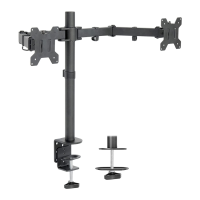
Specifies the maximum weight capacity per arm for the desk mount.
Information on how to access product warranty details.
Details about the return policy and associated costs.
Instructions for loosening the clamp mechanism before installation.
Guide for mounting the clamp to the desk using screws and Allen wrench.
Instructions for installing the mount using the grommet hole and hardware.
Steps for attaching the swivel arm and cable clips to the pole.
Guide for securing VESA plates to monitors using thumbscrews or screws.
Instructions for sliding monitors onto the swivel arm and securing them with nuts.
Steps for organizing and securing cables using provided clips.
Procedure for adjusting monitor tilt and leveling using Allen wrenches and nuts.
 General
| Brand | Vivo |
|---|---|
| Model | STAND-V002 |
| Category | Racks & Stands |
| Language | English |

 To Next Page