Need help?
Do you have a question about the Vivo STAND-V003M and is the answer not in the manual?
Serious crushing injuries from tipover; prevent by not allowing children to climb and using restraints.
Small parts; not for children under 3 years; adult supervision required.
Lists necessary tools for assembly, primarily a Phillips screwdriver.
Guides through clamp or grommet base installation options for the desk mount.
Attaches side VESA brackets to monitor arms using bushings, bolts, washers, and nuts.
Slides the monitor arm assembly onto the pole and secures it with a bolt.
Secures cable management clips to the monitor arms as illustrated.
Attaches monitors to VESA plates using bolts and washers, securing with a screwdriver.
Adjusts the tension of the monitor bracket using a 6mm Allen wrench for desired movement.
Stores Allen wrenches in the cable management clip for future use.
Adjusts the height of side monitors by turning the bolt on top of each bracket.
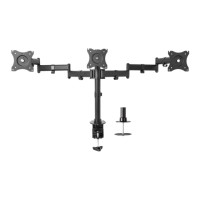
This document is an instruction manual for the VIVO Triple Monitor Desk Mount, SKU: STAND-V003M.
The VIVO Triple Monitor Desk Mount is designed to securely hold three computer monitors on a desktop, providing an ergonomic and space-saving solution for multi-monitor setups. It allows for flexible positioning of monitors to optimize viewing angles and reduce desk clutter. The mount can be installed using either a clamp or a grommet base, offering versatility for different desk types.
 General
| Brand | Vivo |
|---|---|
| Model | STAND-V003M |
| Category | Racks & Stands |
| Language | English |

 To Next Page