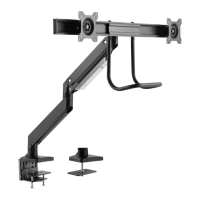
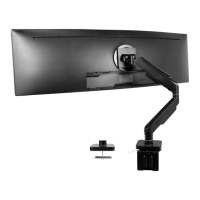
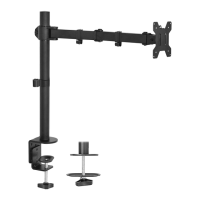
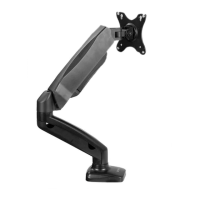
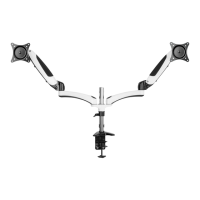
This document is an instruction manual for the VIVO Pneumatic Arm Single Monitor Desk Mount, SKU: STAND-V101G1. It provides detailed assembly steps, technical specifications, and usage guidelines for mounting a single monitor to a desk using either a clamp or grommet installation method.
Function Description
The VIVO Pneumatic Arm Single Monitor Desk Mount is designed to elevate and position a single computer monitor, providing ergonomic benefits and freeing up desk space. The pneumatic arm allows for smooth and effortless adjustment of the monitor's height, tilt, swivel, and rotation, catering to individual user preferences and promoting a comfortable viewing experience. The mount supports two primary installation methods: a desk clamp for easy attachment to the edge of a desk, and a grommet base for more permanent installation through a desk hole.
Important Technical Specifications
- Weight Capacity: The mount is designed to support monitors weighing up to 33 lbs (14.97 kg). Exceeding this weight capacity can lead to serious injury or damage to the product.
- Desk Thickness (Clamp Installation):
- For top 4 slots of clamp brace: 3/8" - 2-1/2" (10 - 58mm)
- For lower 4 slots of clamp brace: 2" - 3-3/8" (50 - 85mm)
- Grommet Hole Diameter (Grommet Installation): A 3/8" (10mm) hole is required for grommet installation.
- VESA Compatibility: The mount supports VESA patterns, utilizing M4x12 bolts (M-A) or M5x12 bolts (M-B) with washers (M-C) for attaching the VESA plate to the monitor. The VESA plate must be installed with the arrow pointing up.
- Adjustments:
- Swivel: The lower arm can swivel +/-180 degrees, with an optional restriction to +/-90 degrees. The monitor itself can swivel +/-90 degrees.
- Tilt: The monitor can tilt +45 degrees to -45 degrees.
- Rotation: The monitor can rotate +/-180 degrees.
- Height Adjustment: Achieved via the gas spring arm, which can be adjusted to support different monitor weights.
- Materials: The manual implies the use of metal components for the arms and base, with soft pads for desk protection.
Usage Features
- Ergonomic Adjustments: The pneumatic arm allows for easy and precise adjustments of monitor height, tilt, swivel, and rotation, enabling users to find their optimal viewing angle and reduce strain on the neck and eyes.
- Two Installation Options:
- Clamp Installation: Provides a non-permanent solution, allowing the mount to be easily attached and removed from the desk edge without drilling. This method is suitable for desks within specified thickness ranges.
- Grommet Installation: Offers a more secure and permanent mounting solution by attaching the base through a pre-drilled or newly drilled hole in the desk.
- Cable Management: The mount includes cable covers on both the upper and lower arms, allowing users to neatly route and conceal monitor cables, contributing to a clean and organized workspace.
- Quick Release VESA Plate: The VESA plate attaches to the monitor and then slides into a support bracket on the arm, secured by a release lever, making monitor attachment and detachment straightforward.
- Gas Spring Arm Adjustment: The gas spring arm's tension can be adjusted using a 6mm Allen wrench (N) to properly support the weight of the monitor. Turning clockwise decreases support, while counter-clockwise increases it.
- Tilt Joint Adjustment: The tilt joint can also be tightened or loosened to adjust the tilt support, ensuring the monitor stays at the desired angle.
- Safety Guidelines: The manual emphasizes important safety warnings, including not exceeding the weight capacity and not extending the monitor behind the desk to prevent instability and tipping. It also highlights the importance of proper installation to avoid damage or injury.
Maintenance Features
- Allen Wrenches Included: The manual specifies the use of 3mm (L), 4mm (M), and 6mm (N) Allen wrenches for assembly and adjustments, indicating that these tools are likely provided with the product for user convenience.
- Phillips Screwdriver Required: A Phillips screwdriver is needed for removing cable covers, suggesting a simple tool requirement for cable management.
- Adjustable Gas Spring: The gas spring arm can be adjusted over time to maintain optimal support for the monitor, especially if the monitor's weight changes or if the arm's tension needs fine-tuning.
- Cable Management System: The removable cable covers facilitate easy access for adding, removing, or reorganizing cables as needed, simplifying maintenance of a tidy setup.
- Customer Support: VIVO offers dedicated customer support Monday-Friday from 7:00 am to 7:00 pm CST for assistance with assembly, damaged parts, or any product-related inquiries, ensuring ongoing support for users. They provide contact information via email, website chat, and phone.

 Need help?
 General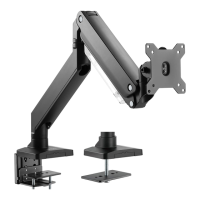

 To Next Page