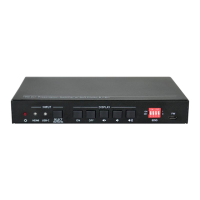
18G 2x1 Presentation Switcher with Soft Codec and CEC
9
5.4 EDID Setting
The Extended Display Identification Data (EDID) is used for the source device to match
its video resolution with the connected display. By default, the source device obtains its
EDID from the first connected display. Meanwhile, since the displays with different
capabilities are connected to the switcher, the 4-pin DIP switch on the front panel can be
used to set the EDID to a built-in fixed value. Use the following table to determine the
setting for the 4-pin DIP switch for specific video resolution and audio capabilities.
The switch represents “0” when in the lower (OFF) position, and it represents “1” while
putting the switch in the upper (ON) position.


 To Next Page
 Loading...