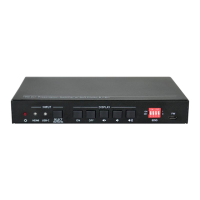
18G 2x1 Presentation Switcher with Soft Codec and CEC
18
8. Troubleshooting & Maintenance
Output image with
snowflake
Bad quality of the
connecting cable.
Try another high quality
cable.
Fail or loose connection.
Make sure the connection
is good
No output image when
switching
No signal at the input /
output end.
Check with oscilloscope or
multimeter if there is any
signal at the input/ output
end.
Fail or loose connection.
Make sure the connection
is good.
Send it to authorized
dealer for repairing.
POWER indicator doesn’t
work or no respond to any
operation
Fail connection of power
cord.
Make sure the power cord
connection is good.
Static becomes stronger
when connecting the video
connectors
Check the grounding and
make sure it is connected
well.
Cannot control the device
by control device (e.g. a
PC) through RS232 port
Wrong RS232
communication
parameters.
Type in correct RS232
communication
parameters.
Send it to authorized
dealer for checking.
Note: If your problem still remaining after following the above troubleshooting steps,
please contact your local dealer or distributor for further assistance.


 To Next Page
 Loading...