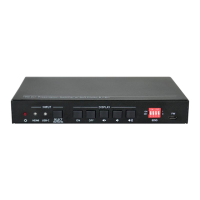
18G 2x1 Presentation Switcher with Soft Codec and CEC
Table of Content
1. Product Introduction .................................................................................................... 1
1.1 Features ............................................................................................................ 1
1.2 Package List ...................................................................................................... 2
2. Specification ............................................................................................................... 3
3. Panel Description ........................................................................................................ 5
3.1 Front Panel ........................................................................................................ 5
3.2 Rear Panel ......................................................................................................... 6
4. System Connection ..................................................................................................... 7
4.1 Usage Precaution .............................................................................................. 7
4.2 System Diagram ................................................................................................ 7
5. Button Control ............................................................................................................. 8
5.1 Manual Switching .............................................................................................. 8
5.2 Automatic Switching .......................................................................................... 8
5.3 Display Control .................................................................................................. 8
5.4 EDID Setting ...................................................................................................... 9
6. RS232 Control .......................................................................................................... 10
6.1 RS232 Control Software .................................................................................. 10
6.2 RS232 Command ............................................................................................ 12
6.2.1 Device Control ....................................................................................... 12
6.2.2 Source Switching ................................................................................... 13
6.2.3 User-define EDID .................................................................................. 13
6.2.4 Display Control ...................................................................................... 14
6.2.5 Switcher Baud Rate Setting ................................................................... 14
6.2.6 Third-party Device Control ..................................................................... 15
7. Panel Drawing .......................................................................................................... 17
8. Troubleshooting & Maintenance ............................................................................... 18
9. Customer Service ..................................................................................................... 19


 To Next Page
 Loading...