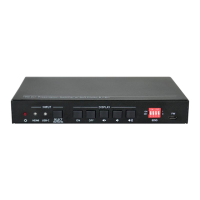
18G 2x1 Presentation Switcher with Soft Codec and CEC
13
6.2.2 Source Switching
Get the current input source.
Enable auto switching mode.
Disable auto switching mode.
Get the auto switching status.
6.2.3 User-define EDID
There are five EDID values can be customized by sending the below command.
X =1~5, represents the EDID, its DIP switch status shows as below:
Operation:
Step 1: Prepare the EDID file (.bin).
Step 2: Set the 4-pin DIP switch status, for example: “1011”.
Step 3: Send the command “#UPLOAD_USER_EDID 1.”, and the feedback
is “@USER_EDID 1 READY
PLEASE SEND EDID DATA IN 10S”.
Step 4: Send the EDID file (.bin). If successfully upload, the feedback is:
“OK”.


 To Next Page
 Loading...