18G 2x1 Presentation Switcher with Soft Codec and CEC
15
6.2.6 Third-party Device Control
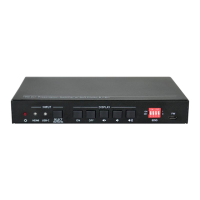
Connect a third-party device (e.g. projector) to the RS232 port of switcher, the
third-party device can be controlled simultaneously by the below RS232 commands
while press the front panel button (ON, OFF, MUTE, VOLUME + or VOLUME -).
Send the command "XXXX" to the
third-party device while the DISPLAY
ON key is pressed.
The “[B]” represents the baud rate
of third-party device.
The “[T]” represents the delay
time of sending command, and its
value is “00~99”.
The “XXXX” represents the
specific command (ASCII, up to
48 byte).
Command:
#SET_ON_05_30:1234567
Feedback:
@BAUDRATE: 4800
@DELAY TIME: 30 s
@DISPLAY ON TO SEND:1234567
Send the command "XXXX" to the
third-party device while the DISPLAY
OFF key is pressed.
The “[B]” represents the baud rate
of third-party device, and its value
is “00~06”, the corresponding
baud rate shows at above list.
The “[T]” represents the delay
time of sending command, and its
value is “00~99”.
The “XXXX” represents the
specific command (ASCII, up to
48 byte).
Command:
#SET_OF_05_30:ABCDEFG
Feedback:
@BAUDRATE: 4800
@DELAY TIME: 30 s
@DISPLAY OFF TO
SEND:ABCDEFG


 To Next Page
 Loading...