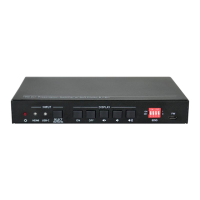
18G 2x1 Presentation Switcher with Soft Codec and CEC
16
Send the command "XXXX" to the
third-party device while the VOLUME
MUTE key is pressed.
The “[B]” represents the baud rate
of third-party device, and its value
is “00~06”, the corresponding
baud rate shows at above list.
The “[T]” represents the delay
time of sending command, and its
value is “00~99”.
The “XXXX” represents the
specific command (ASCII, up to
48 byte).
Command:
#SET_AM_05_30:ABCDEFG
Feedback:
@BAUDRATE: 4800
@DELAY TIME: 30 s
@DISPLAY ON TO SEND:1234567
Send the command "XXXX" to the
third-party device while the VOLUME
+ key is pressed.
The “[B]” represents the baud rate
of third-party device, and its value
is “00~06”, the corresponding
baud rate shows at above list.
The “[T]” represents the delay
time of sending command, and its
value is “00~99”.
The “XXXX” represents the
specific command (ASCII, up to
48 byte).
Command:
#SET_AU_05_30:ABCDEFG
Feedback:
@BAUDRATE: 4800
@DELAY TIME: 30 s
@VOLUME + TO SEND:ABCDEFG
Send the command "XXXX" to the
third-party device while the VOLUME
- key is pressed.
The “[B]” represents the baud rate
of third-party device, and its value
is “00~06”, the corresponding
baud rate shows at above list.
The “[T]” represents the delay
time of sending command, and its
value is “00~99”.
The “XXXX” represents the
specific command (ASCII, up to
48 byte).
Command:
#SET_AD_05_30:ABCDEFG
Feedback:
@BAUDRATE: 4800
@DELAY TIME: 30 s
@VOLUME - TO SEND:ABCDEFG
Note: These third-party device control commands not need to end with
“
<CR><LF>”.


 To Next Page
 Loading...