VIVOTEK
50 - User's Manual
You can click Restore to recall the original settings without incorporating the changes. When
completed with the settings on this page, click Save to enable the settings.
Please follow the steps below to setup a prole:
1. Check Enable this prole.
2. Select the applied mode: Day mode, Night
mode, or Schedule mode. Please manually
enter a range of time if you choose the
Schedule mode.
3. Configure Exposure control settings in the
folowing columns. Please refer to previous
dicussions for detailed information.
4. Click Save to enable the setting and click
Close to exit the page.
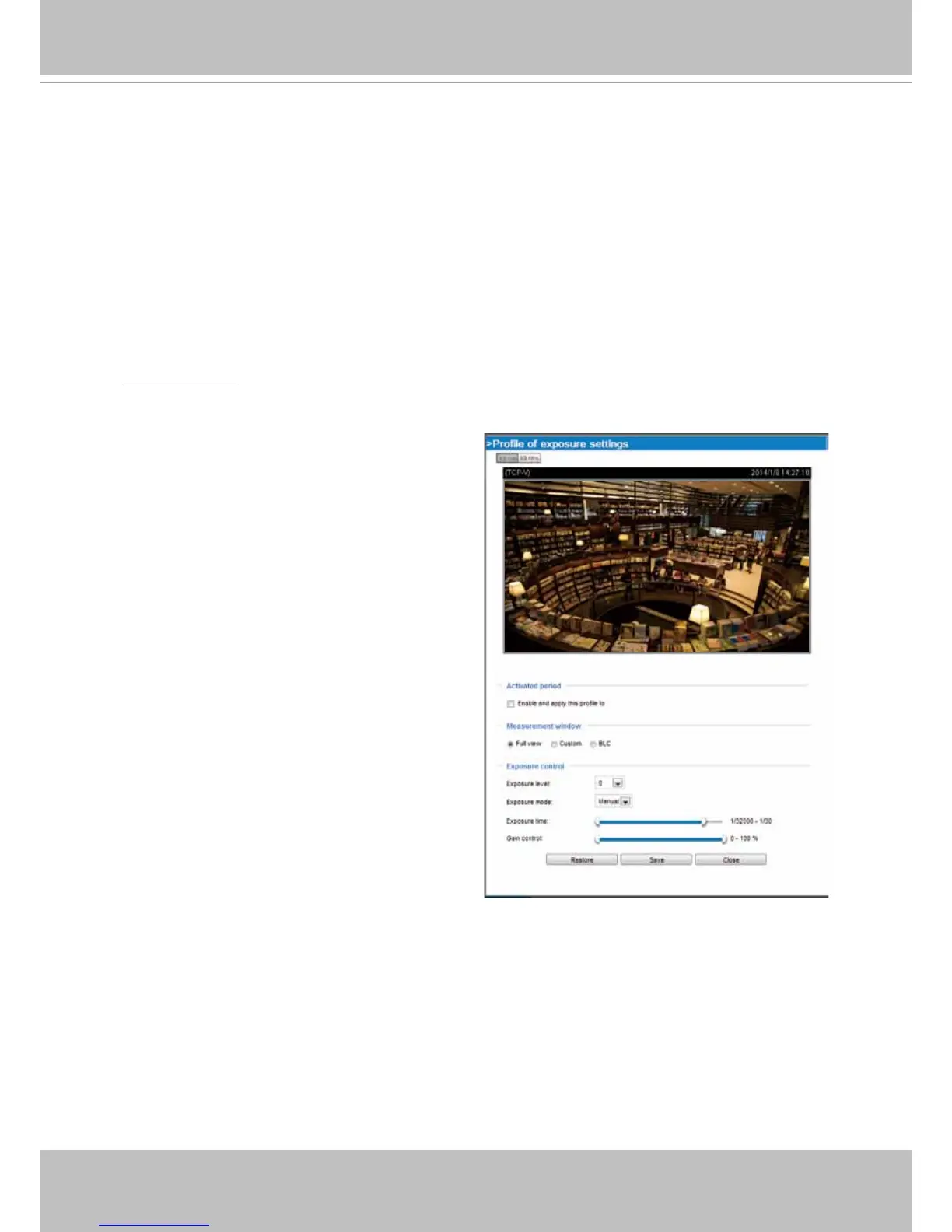
If you want to congure another sensor setting for day/night/schedule mode, please click Prole to
open the Prole of exposure settings page as shown below.
Activated period:
Select the mode this prole to apply to the Schedule mode. Please manually enter
a range of time if you choose Schedule mode. Then check Save to take effect.
■
Exposure Time: The configurable max. exposure time is tunable according to lighting
conditions with values ranging from 1/32000 to 1/5 of a second.
■
Gain Control: Tune the slider bar to set the Gain Control to the best image quality. Higher gain
control value will generate a certain amount of noises.



 To Next Page