Before you begin:
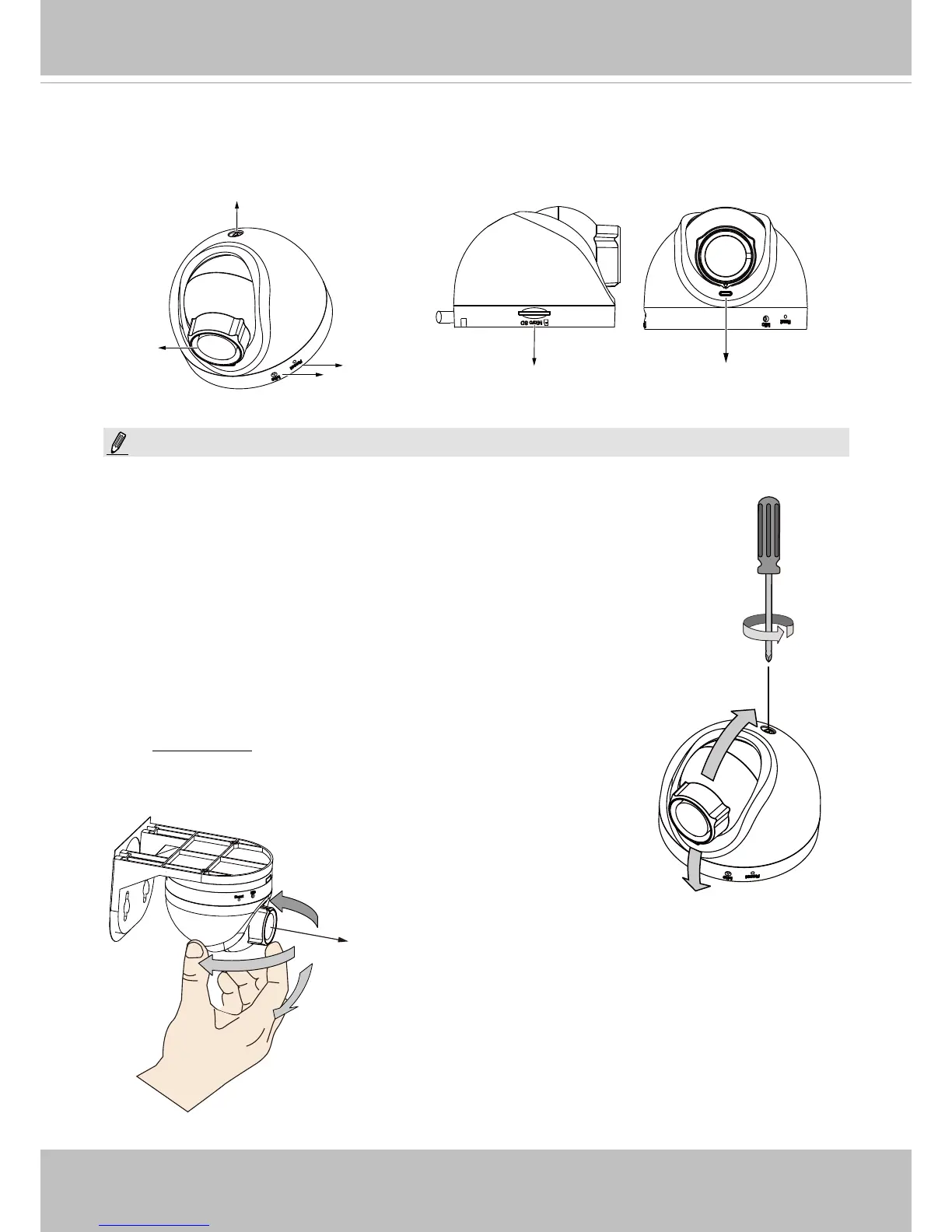
You can connect the Ethernet cable to a PC or laptop for a live
view. (See page 10). Raise the camera to the estimated position,
and evaluate the eld of view by turning the mount bracket and
lens.
Shooting
direction
Loosen the retention screw to change
shooting angle.
1. The camera can only be powered by Power over Ethernet (PoE).
2. The camera can only be installed in an indoor environment.
NOTE:



 To Next Page