VIVOTEK
92 - User's Manual
NOTE
►
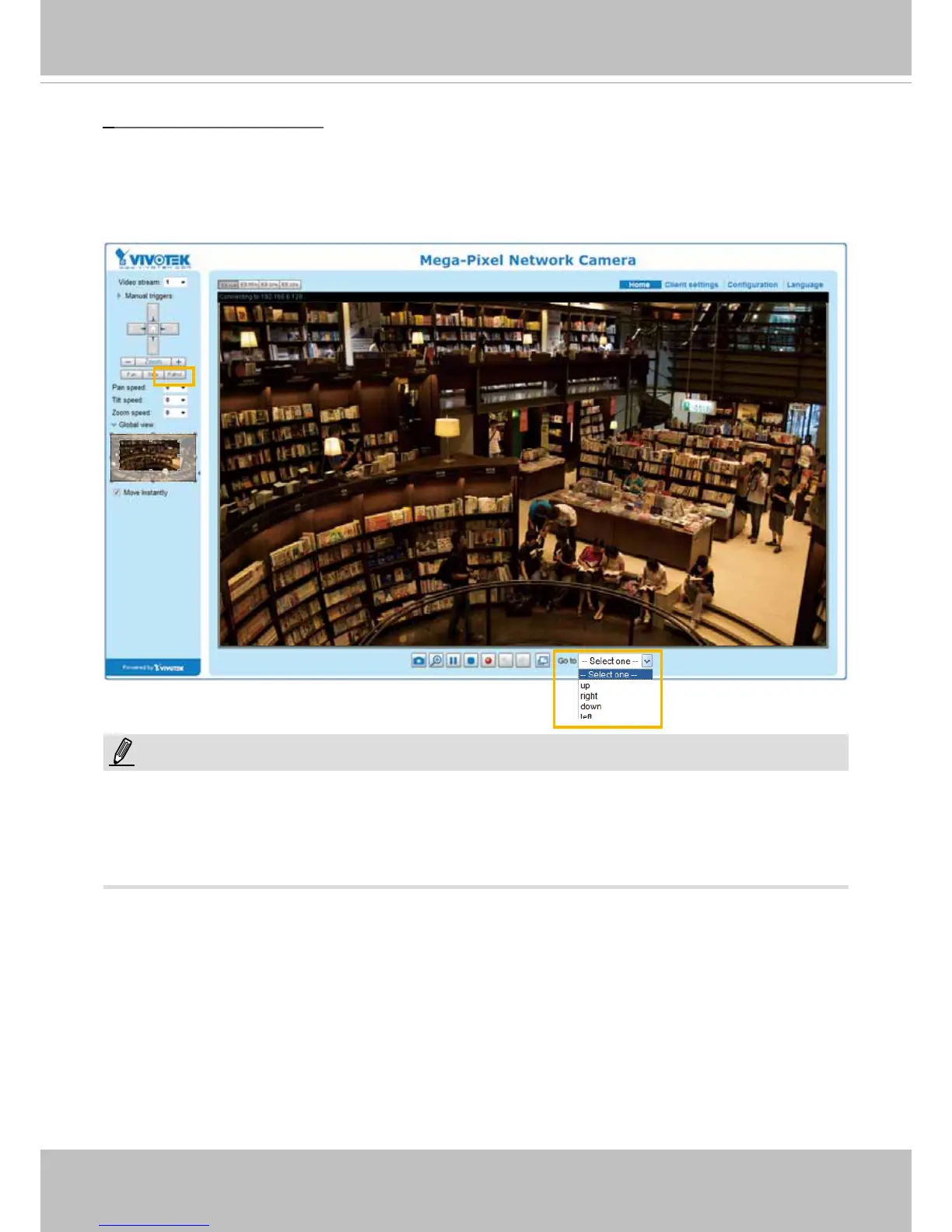
The Preset Positions will also be displayed on the home page. Select one from the Go to drop-down
list, and the Network Camera will move to the selected preset position.
►
Click Patrol: The Network Camera will patrol along the selected positions repeatedly. Please
refer to page 91 to see more details.
Home page in the e-PTZ Mode
The Preset positions will also be displayed on the home page. Select one from the Go to drop-down
list, and the Network Camera will move to the selected preset position.
Patrol button: Click this button, then the Network Camera will patrol among the selected preset positions
continuously.
NOTE:



 To Next Page