VIVOTEK
16 - User's Manual
Focus window
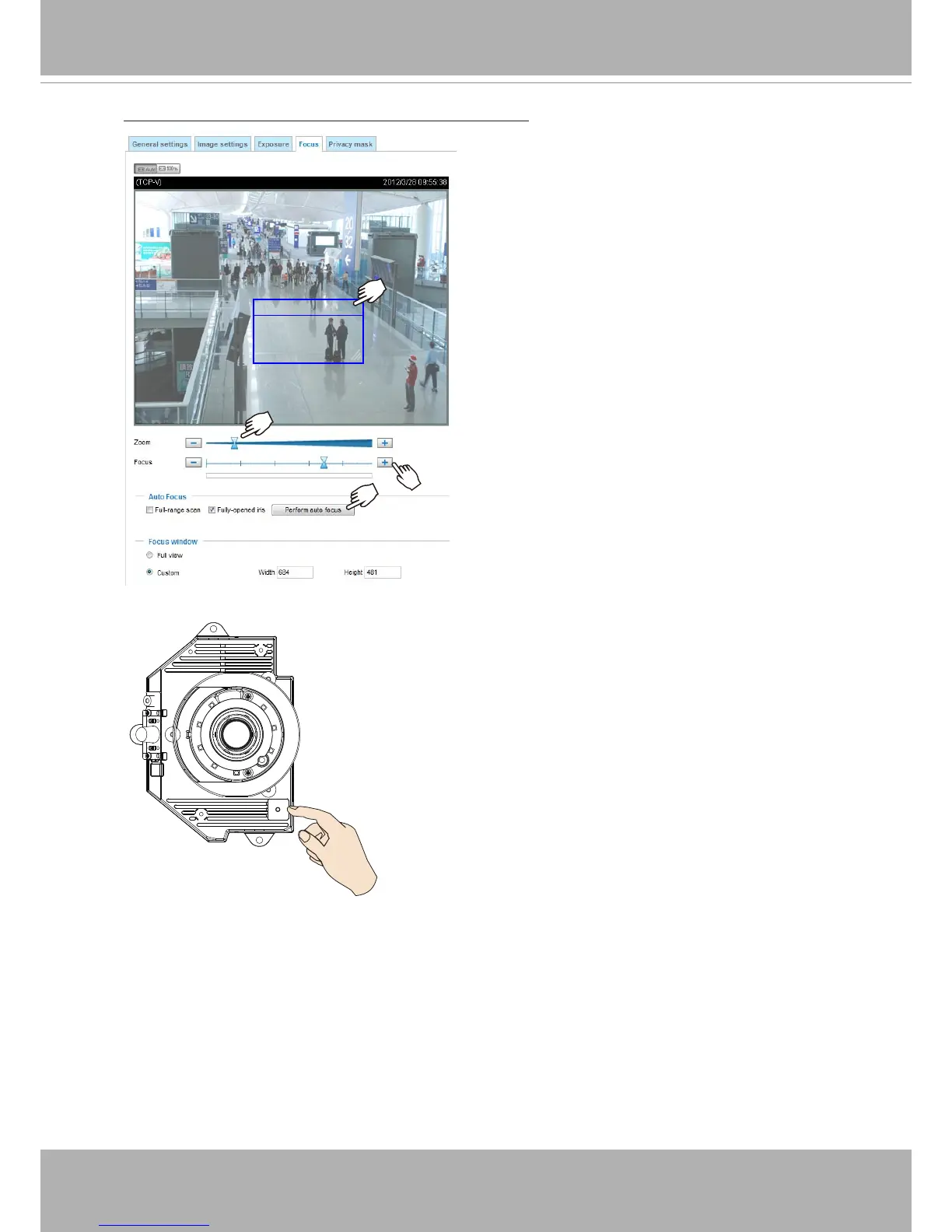
To adjust the zoom factor and focus range
1. The camera comes with a motorized vari-
focal lens module. With a web console,
you can enter the Configuration > Media
> Image > Focus page to tune the image
zoom and focus.
2. On this page, you can pull the Zoom and
Focus pointers, set up a Focus window,
and use the Perform auto focus button to
automatically obtain an optimal focus result.
You may also manually fine-tune zoom and
focus using the various functional buttons.
Please refer to your User Manual for more
information.
3. You may also push the Auto Focus button on the camera
to obtain the same results especially when you are using
camera tester for onsite adjustment.



 To Next Page