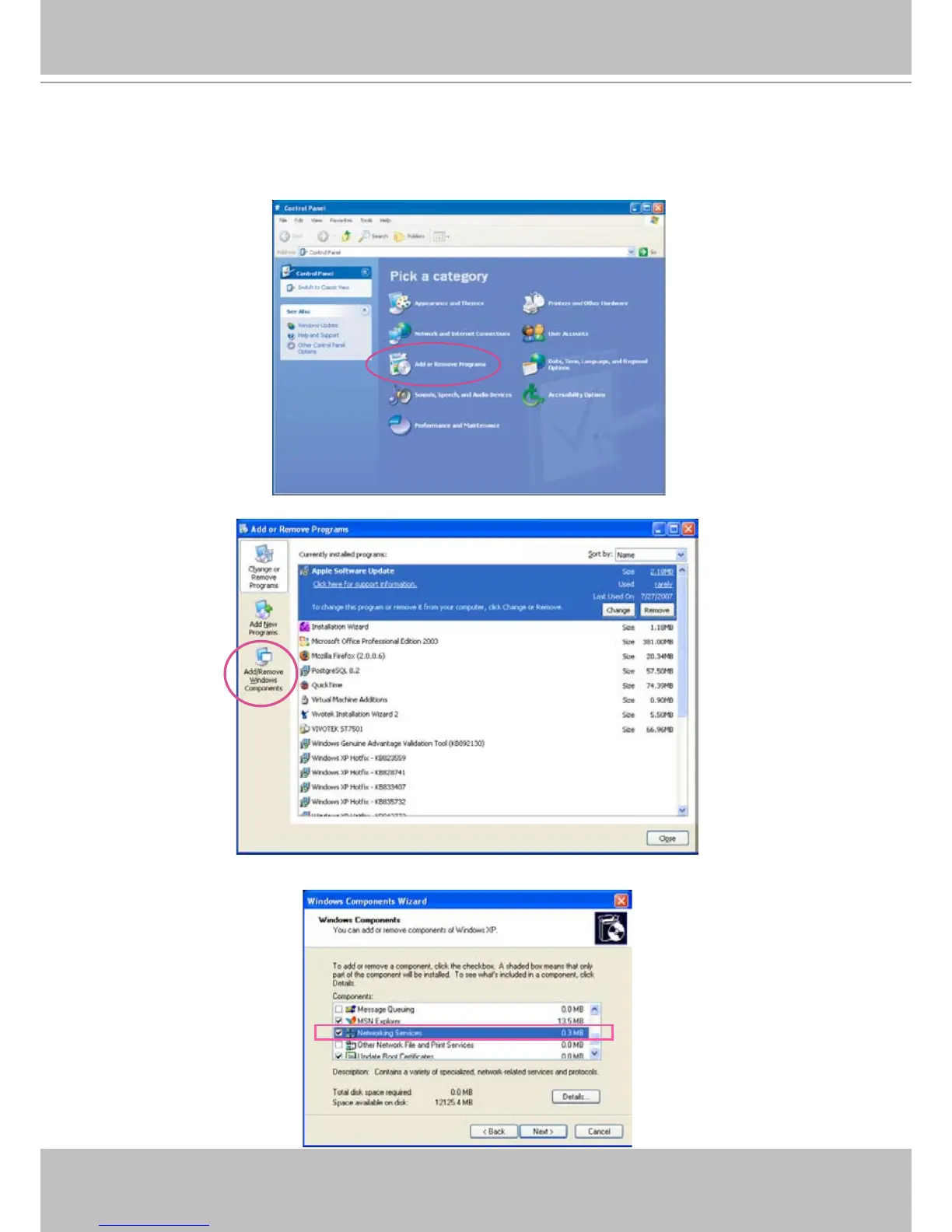
► Steps to enable UPnP
TM
user interface on your computer:
Note that you must log on to the computer as a system administrator to install the UPnP
TM
components�
1� Go to Start, click Control Panel, and then click Add or Remove Programs�
2. In the Add or Remove Programs dialog box, click Add/Remove Windows Components�
3�
In the Windows Components Wizard dialog box, select Networking Services and then click Details�



 To Next Page