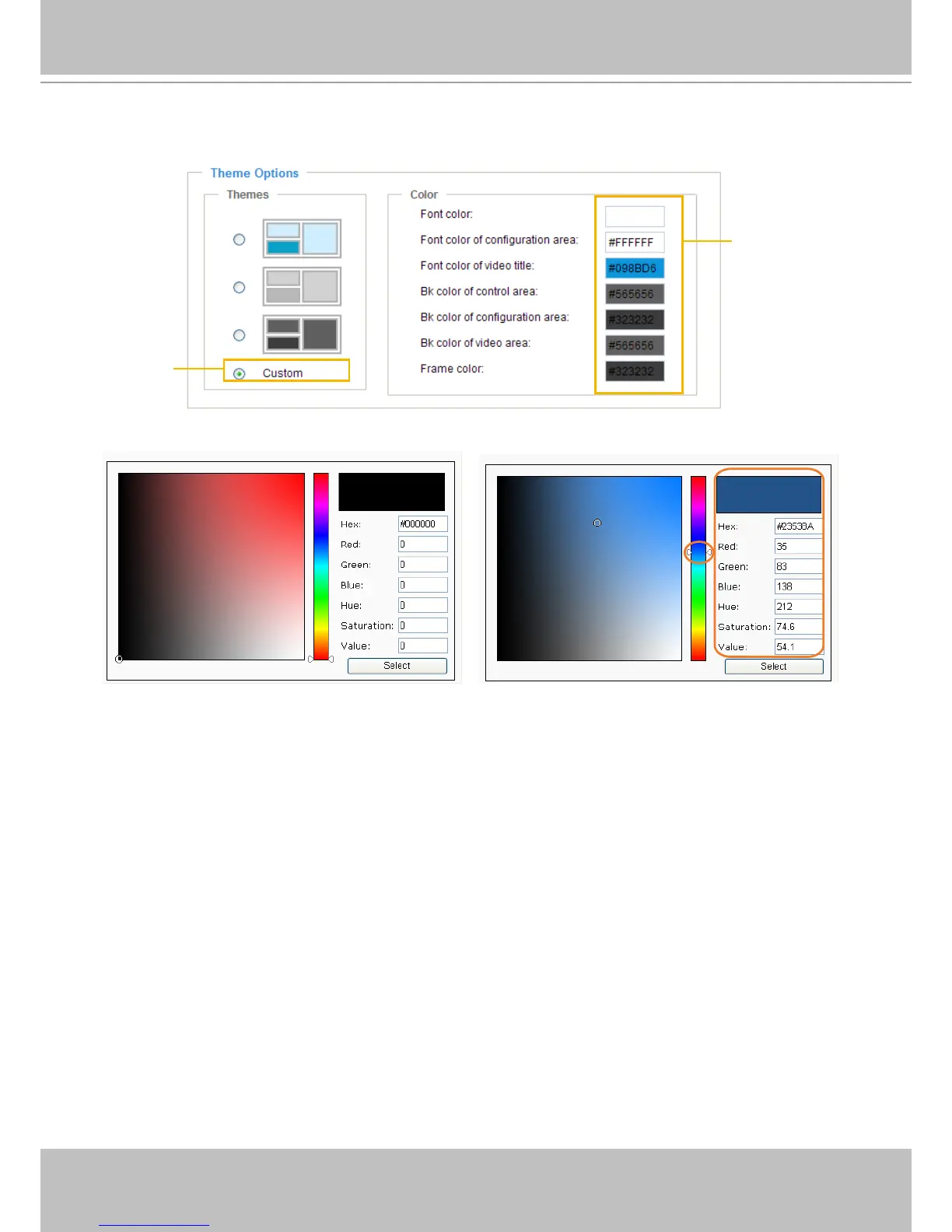
■ Follow the steps below to set up the customed homepage:
1� Click Custom on the left column�
2. Click the eld where you want to change the color on the right column.
3� The palette window will pop up as shown below�
4. Drag the slider bar and click on the left square to select a desired color.
5. The selected color will show up in the corresponding elds and in the Preview column�
6� Click Save to enable the settings�



 To Next Page