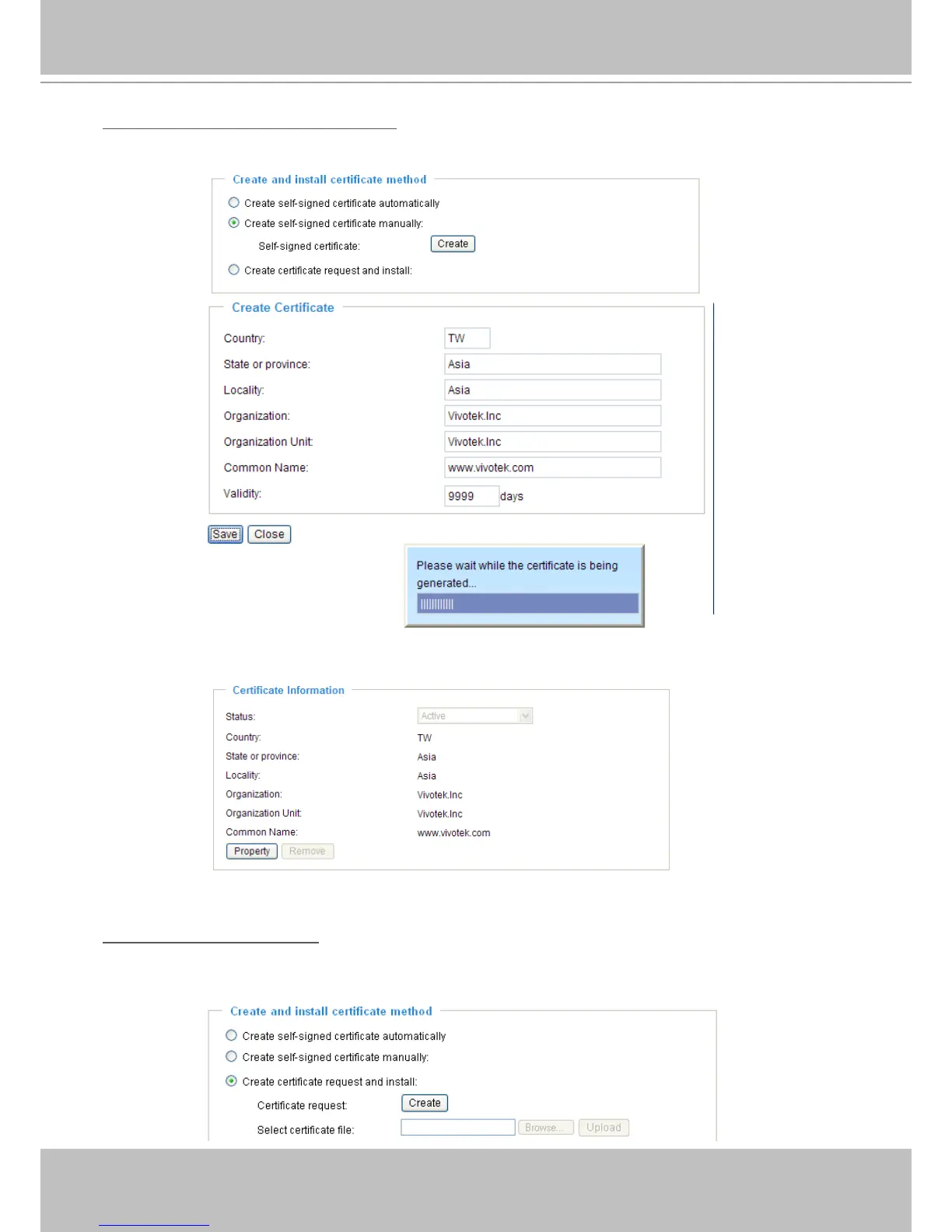
Create self-signed certificate manually
1� Select this option�
2� Click Create to open the Create Certicate page, then click Save to generate the certicate.
3. The Certicate Information will automatically be displayed in the third column as shown below. You
can click Property to see detailed information about the certicate.
Create certificate and install : Select this option if you want to create a certicate from a certicate
authority�
1� Select this option�
2� Click Create to open the Create Certicate page, then click Save to generate the certicate.



 To Next Page