VIVOTEK
100 - User's Manual
■ Add date and time sufx to the le name
Select this option to add a date/time sufx to the le name.
For example:
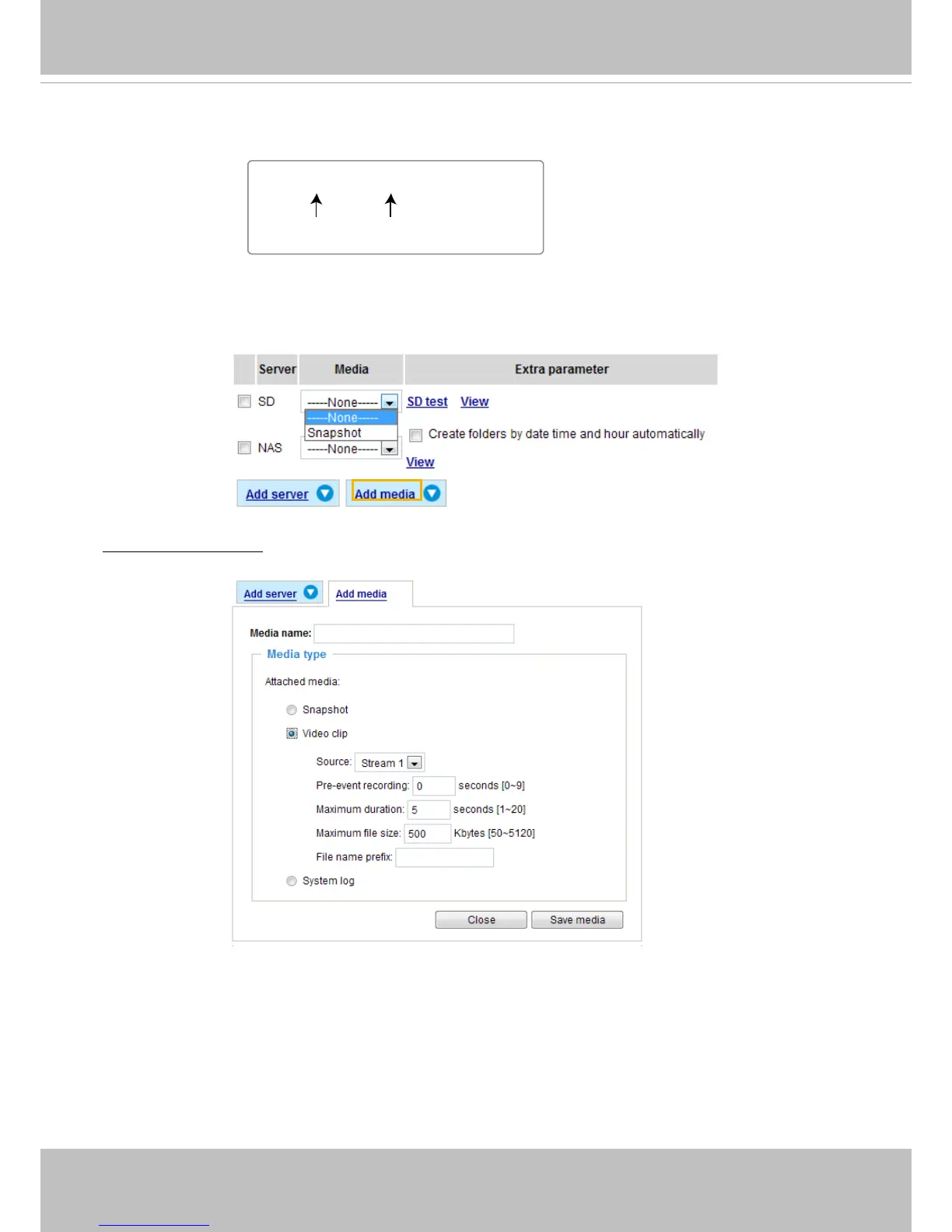
Click Save media to enable the settings, then click Close to exit the Add media page�
After you set up the rst media server, a new column for media server will automatically display on the
Media list� If you wish to add more media options, click Add media�
Media type -
Video clip
Select to send video clips when a trigger is activated�
■ Media name: Enter a name for the media setting�
■ Source: Select the source of video clip.
■ Pre-event recording
The Network Camera has a buffer area; it temporarily holds data up to a certain limit� Enter a number
to decide the duration of
recording before a trigger is activated� Up to 9 seconds of video can be
recorded�
Snapshot_20110320_100341
Date and time suffix
The format is: YYYYMMDD_HHMMSS
File name prefix



 To Next Page