VIVOTEK
User's Manual - 23
Main Page
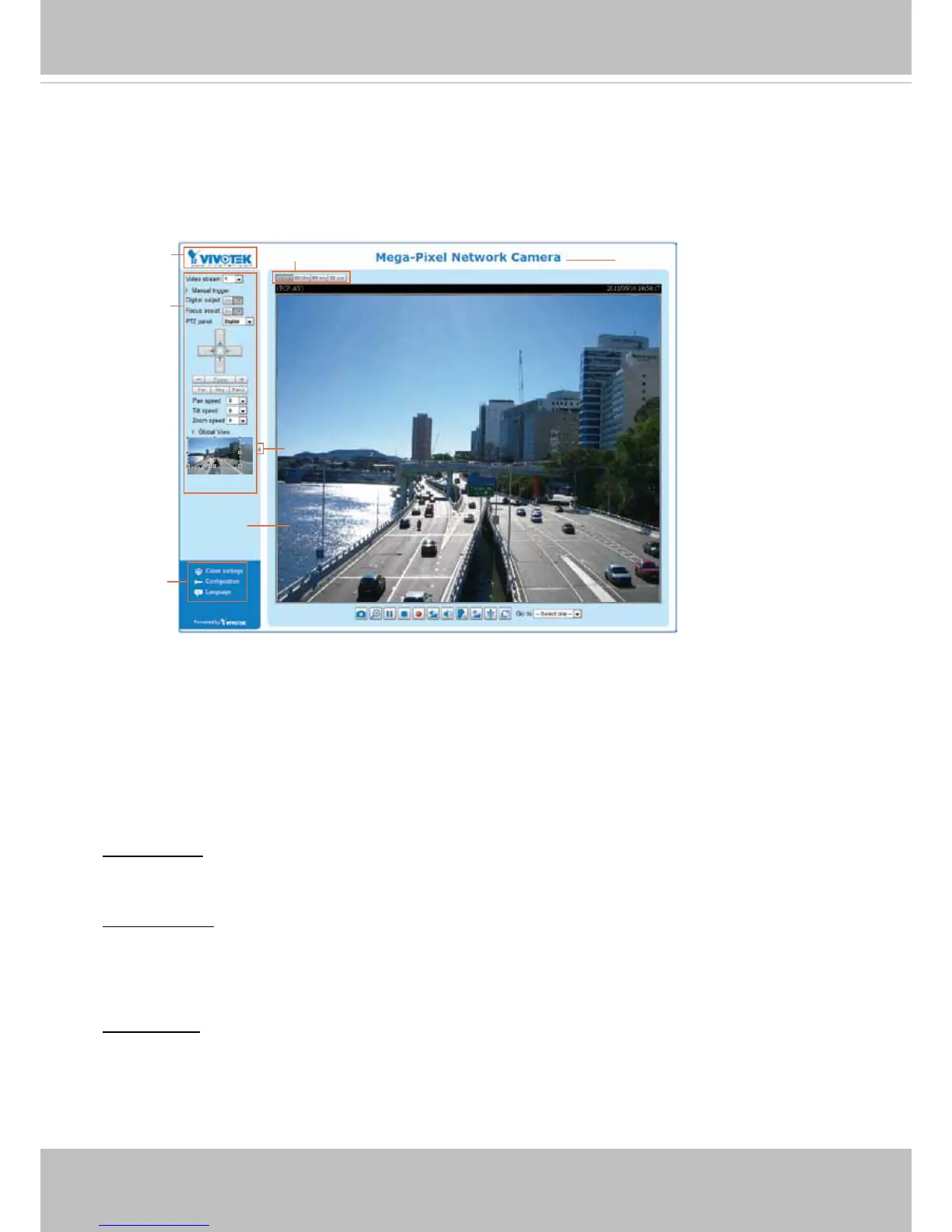
This chapter explains the screen elements on the main page� It is composed of the following
sections: VIVOTEK INC. Logo, Host Name, Camera Control Area, Conguration Area, and Live
Video Window�
VIVOTEK INC. Logo
Click this logo to visit the VIVOTEK website�
Host Name
The host name can be customized to t your needs. For more information, please refer to System on page 31.
Camera Control Area
Video Stream: This Network Camera supports multiple streams (stream 1 and 2) simultaneously� You
can select either one for live viewing. For more information about multiple streams, please refer to page
79 for detailed information�
Manual Trigger: Click to enable/disable an event trigger manually� Please configure an event setting
before enabling this function. A total of 3 or 4 event settings can be congured. For more information
about event setting, please refer to page 92� If you want to hide this item on the homepage, please go to
the System > Homepage Layout > General settings > Customized button to deselect “show manual
trigger button”�
Digital Output: Click to turn the digital output device on or off�
VIVOTEK INC.
Logo
Camera Control
Area
Configuration
Area
Resize Buttons
Hide Button
Live View Window
Host Name



 To Next Page