VIVOTEK
24 - User's Manual
Focus Assist Button:
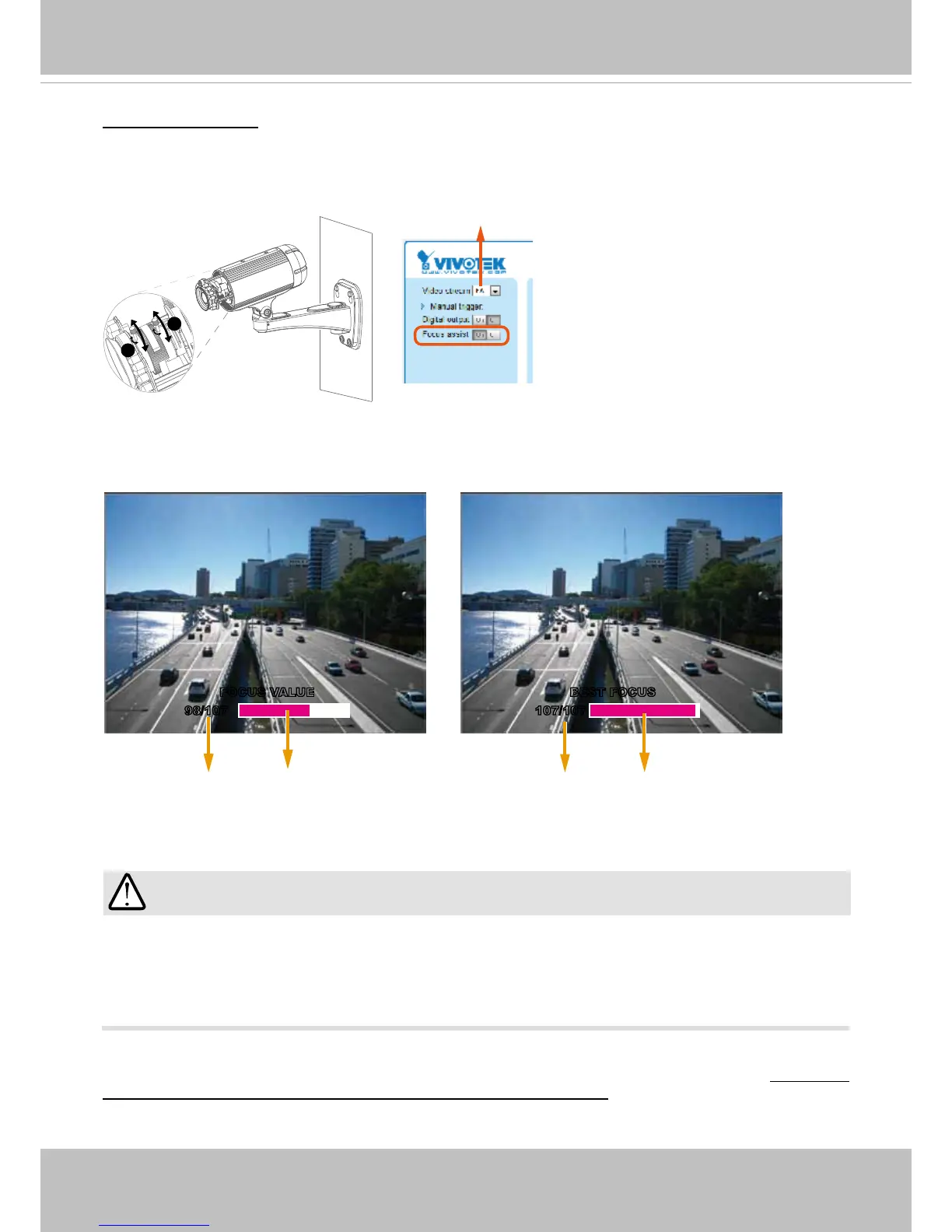
Follow the steps below to manually ne-tune the camera’s focus.
1. Manually adjust the zoom controller of the camera lens to x the camera’s view angle.
2. Click on the “On” button of the Focus Assist function on the homepage session with the camera to
start the focus assist function� The Live View window will automatically enter the full screen mode�
3. The oating indicator will appear at the bottom of the screen showing the calculated focus information.
While you manually adjust the camera’s focus, the numeric readings and the on-screen color bar
should fluctuate and you should find the best results when the focus value is stated as the “BEST
FOCUS.”
4� When done, tighten the zoom and focus controller bars, and then press the ESC key to leave the full-
screen mode�
5� Turn off the focus assist function by clicking the “Off” button�
You may also refer to VIVOTEK’s website for an application note on the use of this function: http://www�
vivotek.com/support/appnote.php?appcon=29&appcatagory=rmware.
Zoom
Focus
IMPORTANT!
Before using the Focus Assist function, the camera should have been stably installed and the
camera's shooting direction and view angle must be secured for a stable view� If the view is
altered, you should ne-tune the camera's zoom and focus again by turning off and restarting
the function�



 To Next Page