VIVOTEK
16 - User's Manual
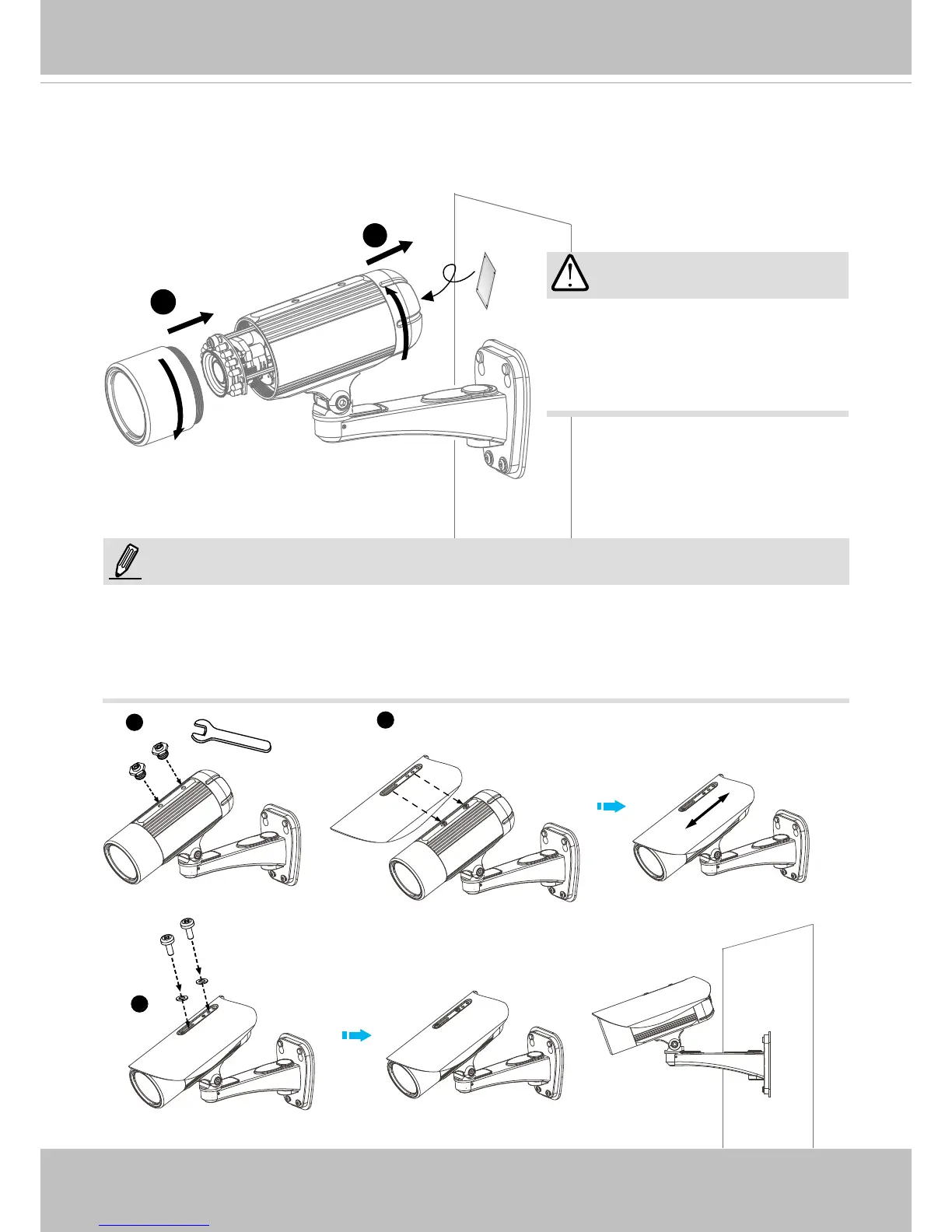
5� Tighten the lens cover�
6� Replace the moisture absorber with a new one if you open the back cover during the
installation procedure�
5
6
IMPORTANT!
1
2
3
Please tear down the aluminum
foil vacuum bag and take out the
moisture absorber, and then replace
it with the absorber in kit using a
double-sided tape�
NOTE:
If you want to use the supplied sun shield for outdoor environments, please follow the steps
below to install:
1� Tighten the supplied two screws�
2� Attach the supplied sun shield to the Network Camera and slide it to the desired position�
3. Fix the sun shield with the supplied two screws.



 To Next Page