VIVOTEK
User's Manual - 47
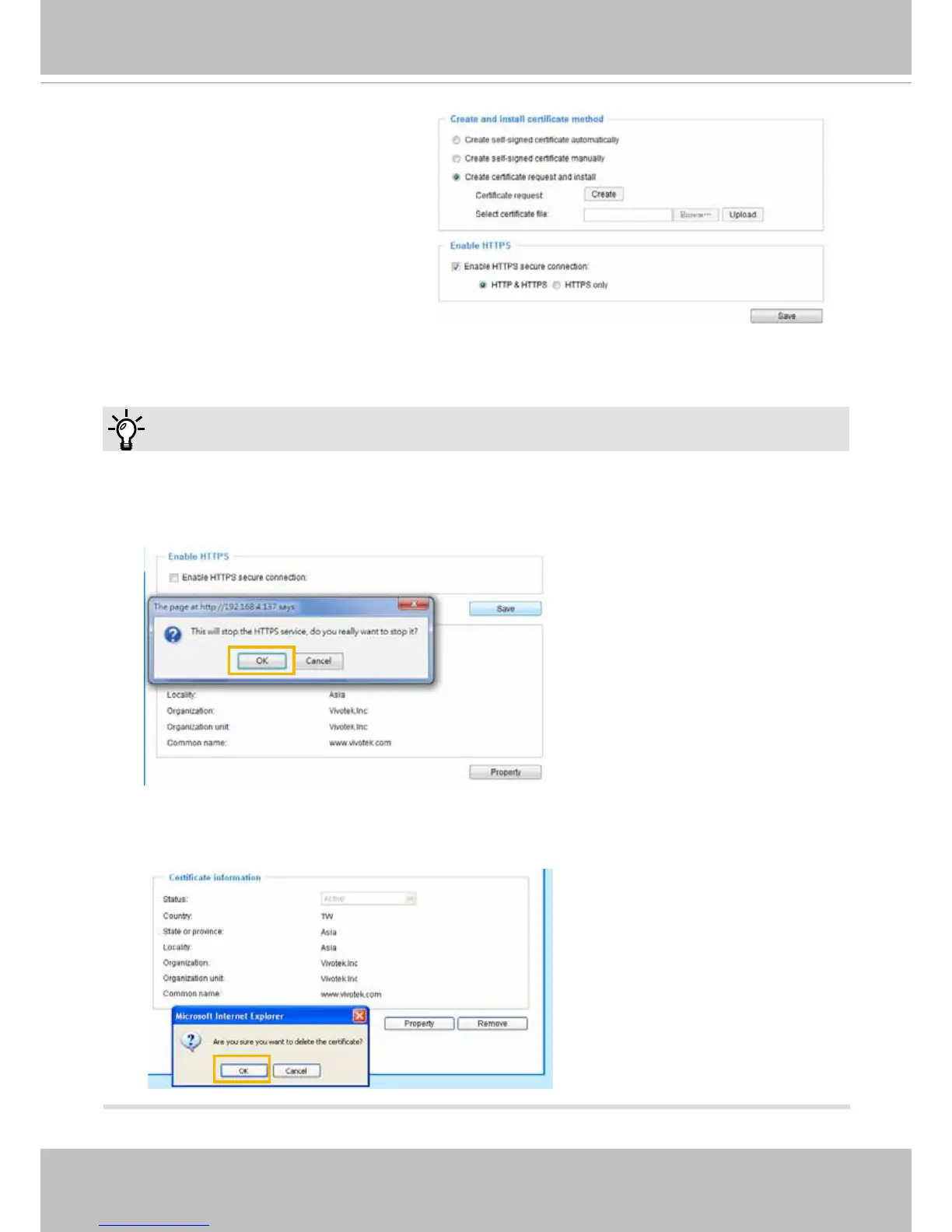
► 1. How do I cancel the HTTPS settings?
1-1� Uncheck Enable HTTPS secure connection in the second column and click Save; a warning
dialog will pop up�
1-2� Click OK to disable HTTPS�
1-3� The webpage will redirect to a non-HTTPS page automatically�
► 2. If you want to create and install other certicates, please remove the existing one.
Tips:
Click this checkbox to enable HTTPS
communication, and then select a
connection option from below: "HTTP &
HTTPS" or "HTTPS only�"
Note that a certificate must have been
created and installed before you can click
on the "save" button for the conguration
to take effect�



 To Next Page