VIVOTEK
User's Manual - 91
Custom command
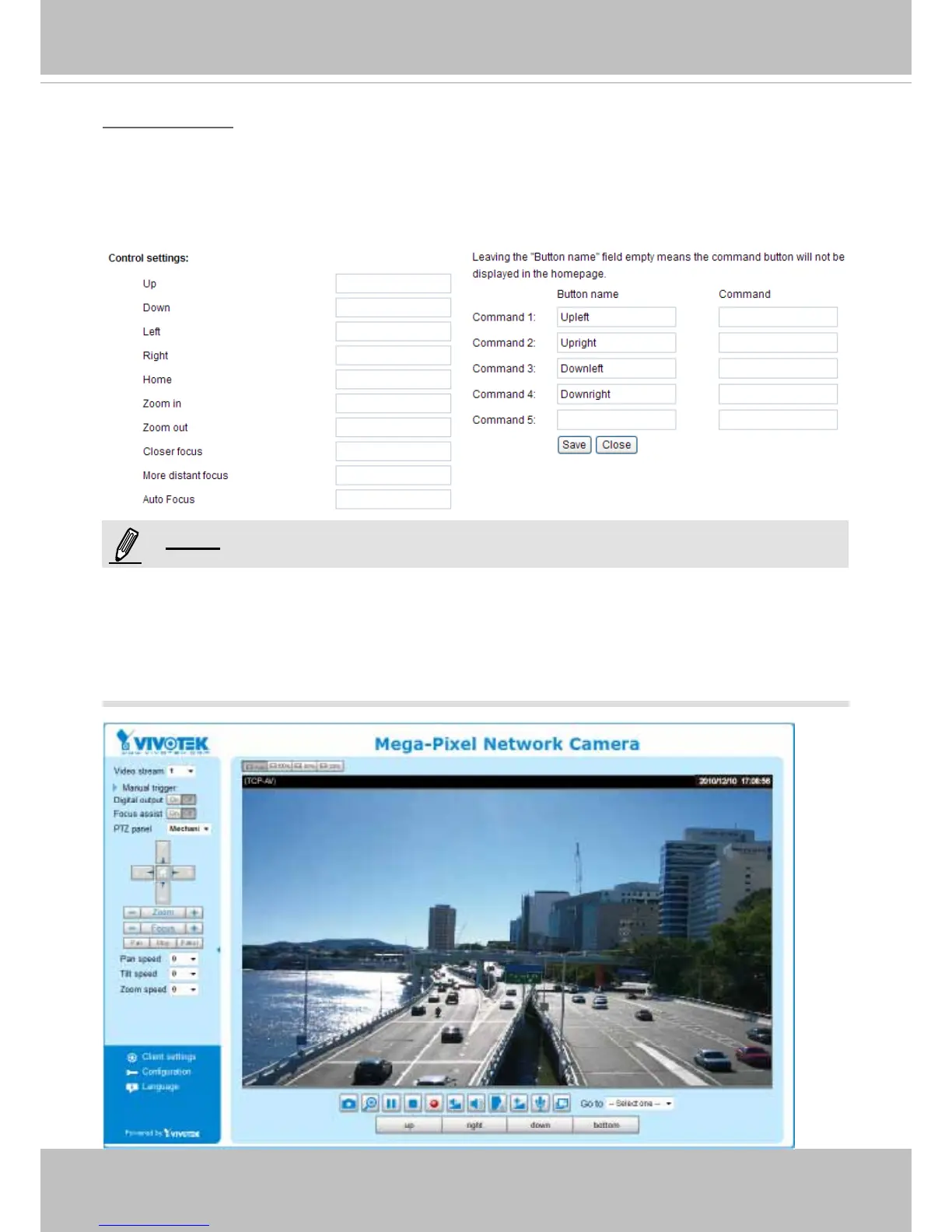
If Custom Camera (pan/tilt head or scanner) is selected as the PTZ driver, the Preset Position and
PTZ Control Panel
on the main page will be disabled� You will need to configure command buttons
to control the PTZ scanner� Click Custom Command to open the Custom Command page to set the
commands in the Control Settings session� Please refer to your PTZ scanner user's manual to enter the
commands in the following elds. Click Save to enable the settings and click Close to exit the page�
►If you select DynaDome/SmartDOME, Lilin PIH-7x00, or Pelco D protocol as the PTZ driver, the
Control Settings column will not be displayed�
►For all PTZ drivers, a total of ve additional command buttons can be congured.
►The command buttons will be displayed on the main page:
NOTE:



 To Next Page