VIVOTEK - Built with Reliability
30 - User's Manual
4. Double-click on the ND9312 entry to start a web session with the NVR system.
5. If you have congured a user name and password on the local console, use them to log in.
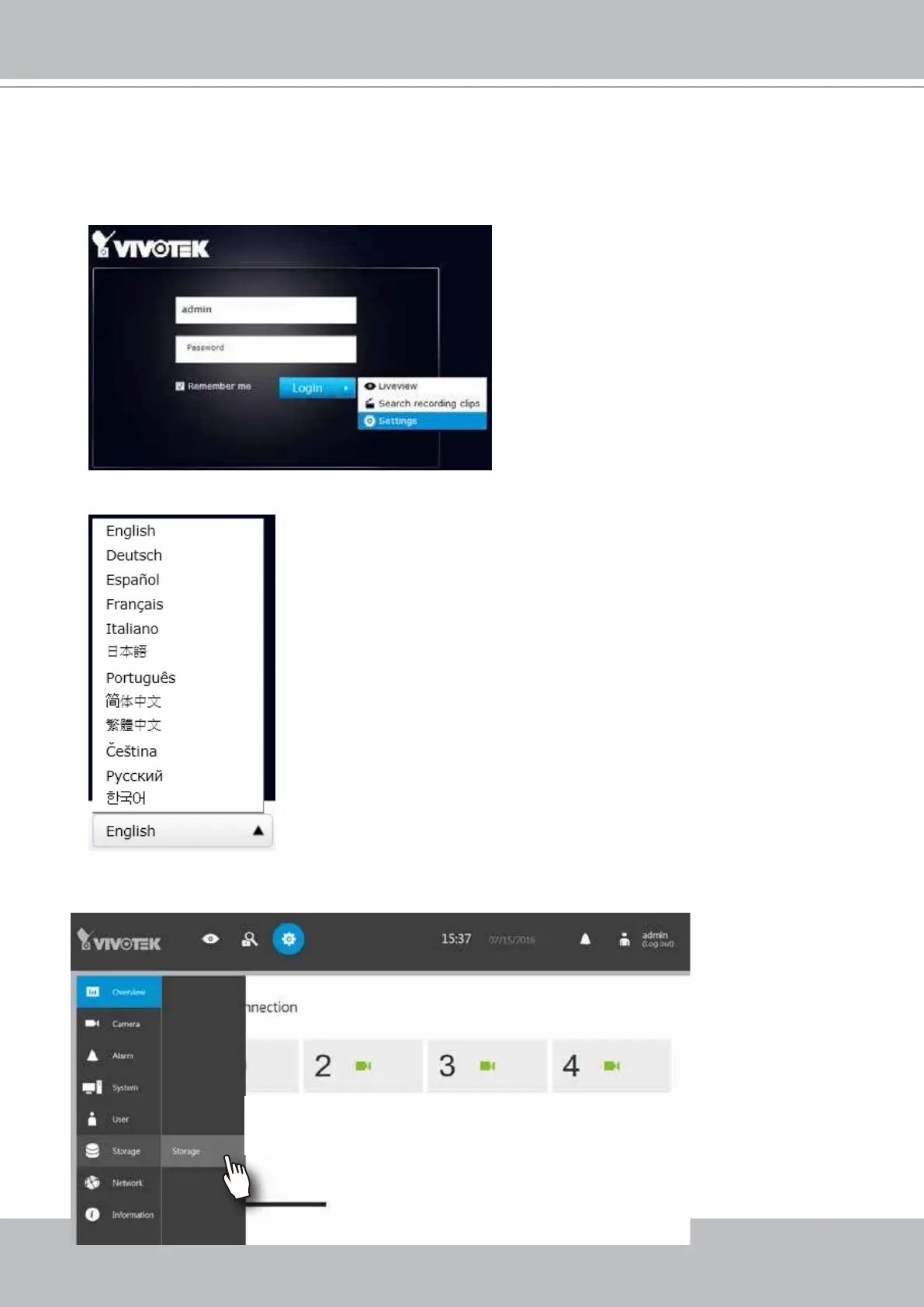
Ideally, the initial conguration is performed via the local console. Expand the menu on the
right of the Login button. Select and click on the Settings button to begin your conguration.
You can select the display language from the lower left corner of the screen.
6. On the Settings page, click on Storage > Volume to access your storage volume
conguration.



 To Next Page