VIVOTEK - A Leading Provider of Multimedia Communication Solutions
User's Manual - 53
Upload / Export Daylight Saving Time Configuration File
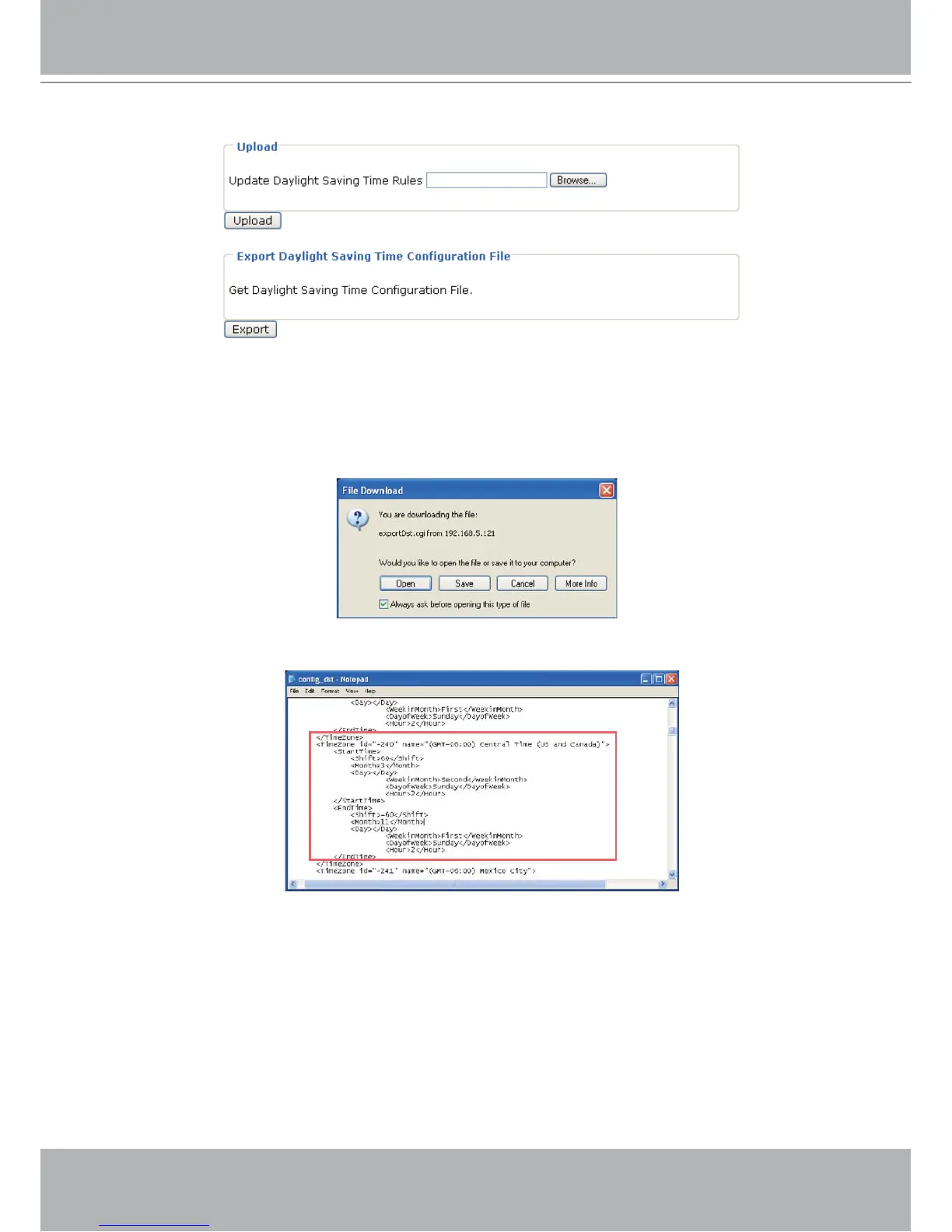
This feature allows you to set the starting time and ending time of DST.
Follow the steps below to set up:
1. In the Export Daylight Saving Time Configuration File Column, click Export to export an Extensible
Markup Language (*.xml) file from the Network Camera.
2. Open the XML file using Microsoft
®
Notepad and locate your time zone; set the starting time and
ending time of the DST. When completed, save the file.
In the example below, the DST begins each year at 2:00 a.m. on the second Sunday in March and
ends at 2:00 a.m. on the first Sunday in November.



 To Next Page