VIVOTEK
User's Manual - 59
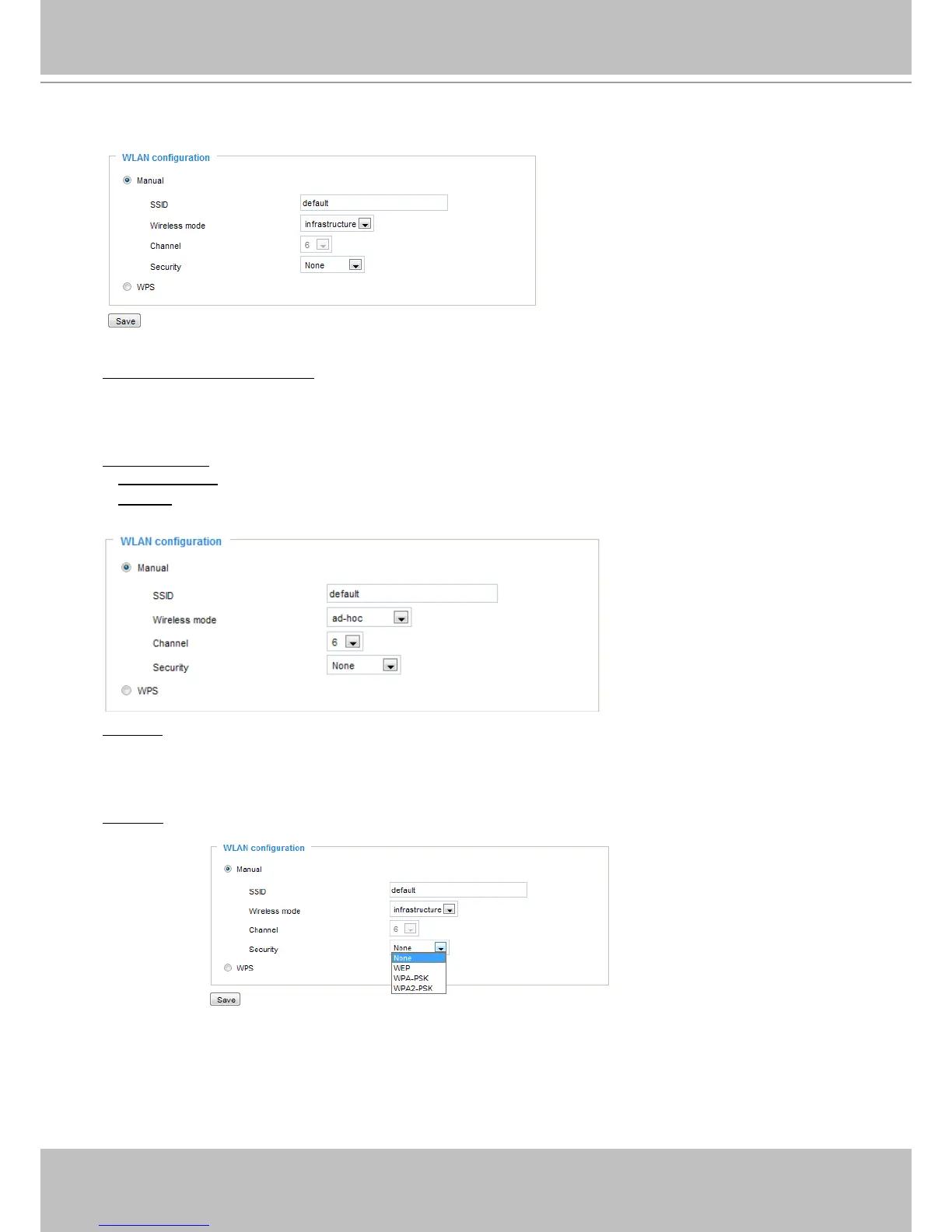
Manual
SSID (Service Set Identifier): This is the name that identifies a wireless network. Access Points and
wireless clients attempting to connect to a specic WLAN (Wireless Local Area Network) must use the
same SSID. The default setting is “default”. Note: The maximum length for an SSID is 32 single-byte
characters and cannot consist of “, <, >, or blank spaces. Note that the SSID is case-sensitive.
Wireless mode: Click on the pull-down menu to select from the following options:
■
Infrastructure: Connect the Network Camera to the WLAN via an Access Point. (default setting)
■
Ad-Hoc: Connect the Network Camera directly to a host equipped with a wireless adapter in a peer-to-
peer environment.
Channel: While in infrastructure mode, the channel is selected automatically to match the channel setting
of the selected Access Point. In Ad-Hoc mode, the channel must be manually set to the same channel for
each wireless adapter. The default channel setting depends on the installed region.
Security: Select the data encryption method. There are four types, none and WEP, WPA-PSK, and
WPA2-PSK.
1.
None: No data encryption.



 To Next Page