VIVOTEK
82 - User's Manual
Return to Home Position while Idle
If you select this option, the Network Camera will automatically return to the home position after idling for
a specic time span. Please remember to click Save to enable the settings.
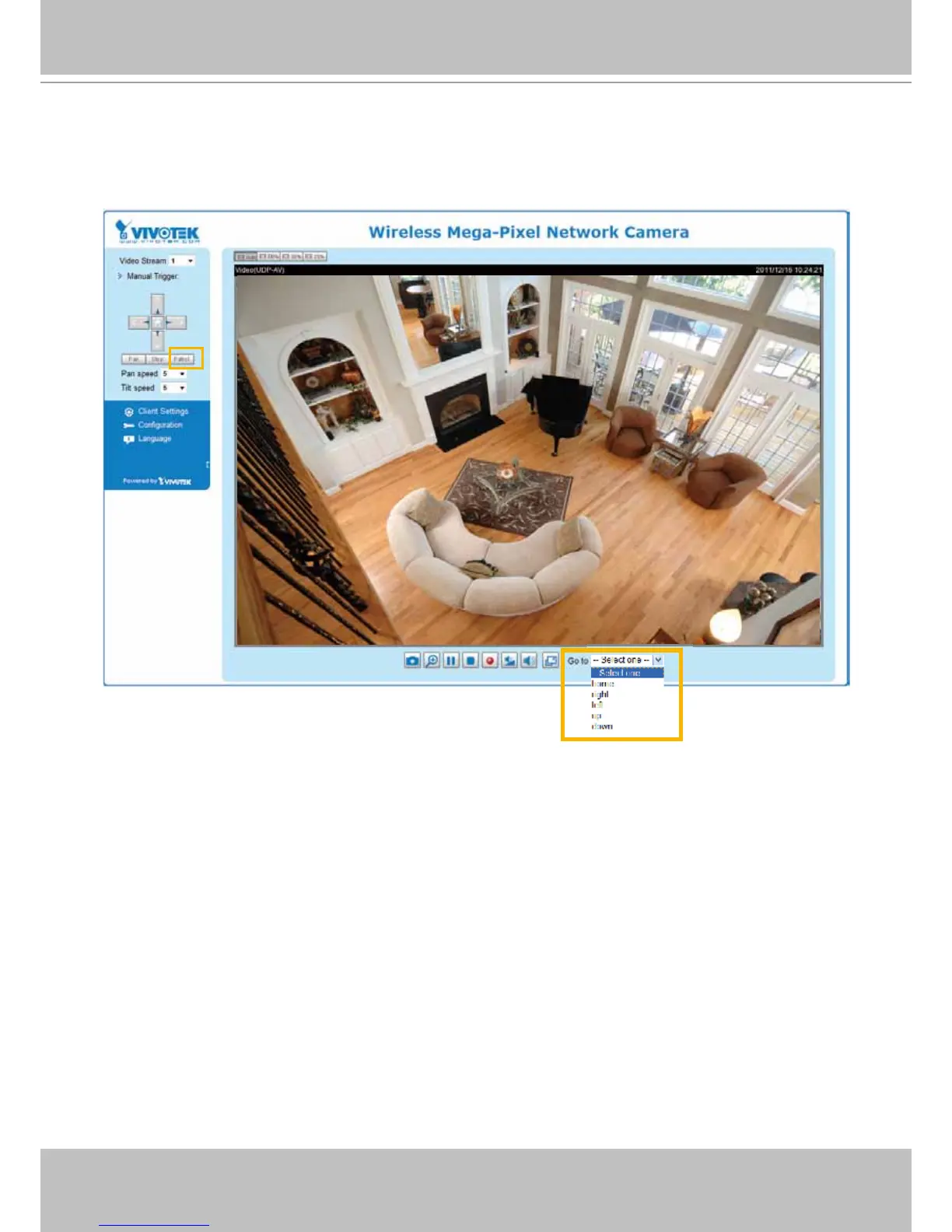
■ The Preset Locations will be displayed on the Home page:
■ Click Go to: The Network Camera will move to the preset location.
■ Click Patrol: The Network Camera will patrol among the selected preset positions (from right to left) for
once.



 To Next Page