VIVOTEK
User's Manual - 97
When completed, click Save to enable the settings and click Close to exit this page. The new media
settings will appear on the Event Settings page.
You can continue to select a server and media type for the event.
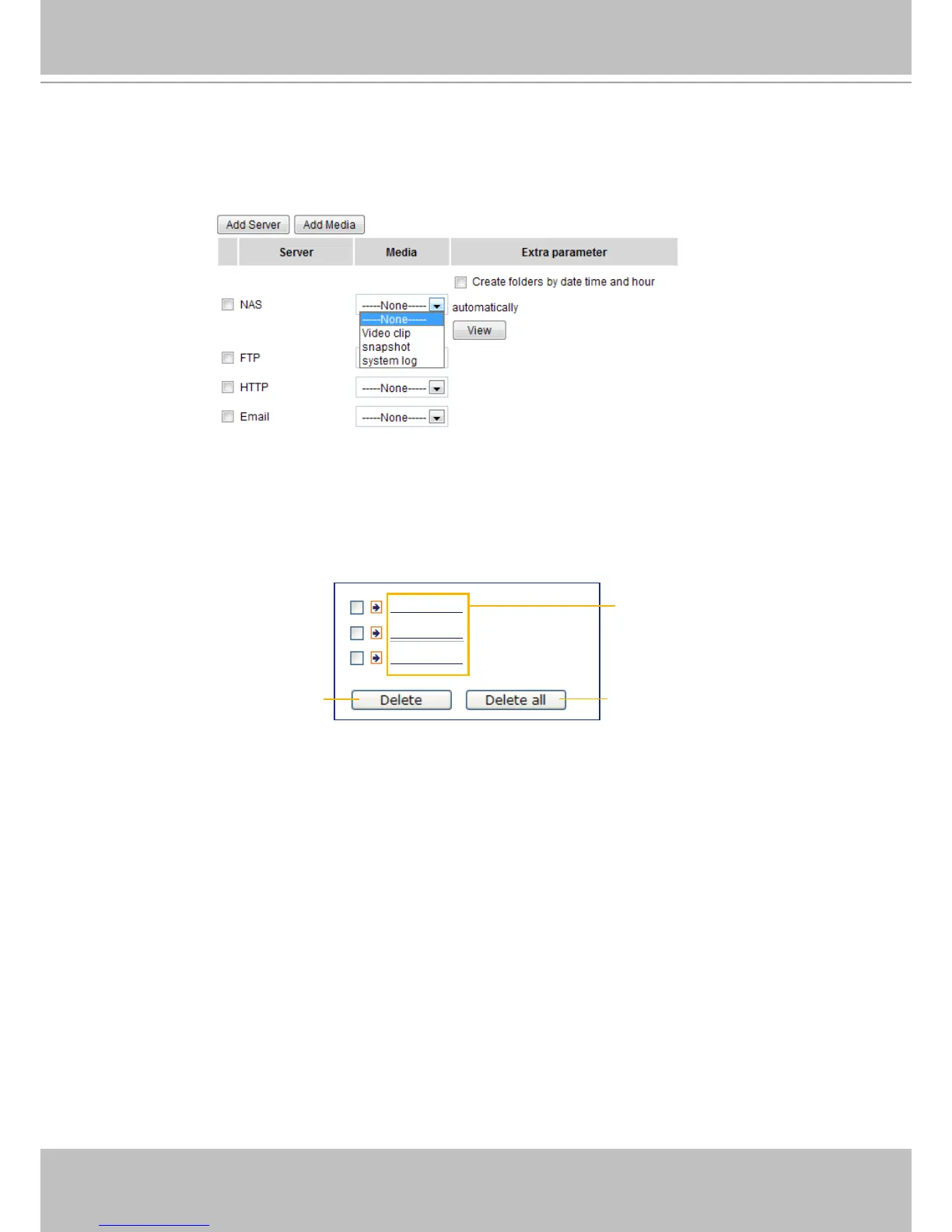
■ Create folders by date, time, and hour automatically: If you check this item, the system will generate
folders automatically by date.
■ View: Click this button to open a file list window. This function is only available when a Networked
Storage is applied.
The following is an example of a le destination with video clips:
20111120
20111121
20111122
Click to delete selected items
Click to delete all recorded data
The format is: YYYYMMDD
Click to open the directory



 To Next Page