VIZIO VA22L FHDTV10T User’s Manual
Version 9/12/2008 20
www.VIZIO.com
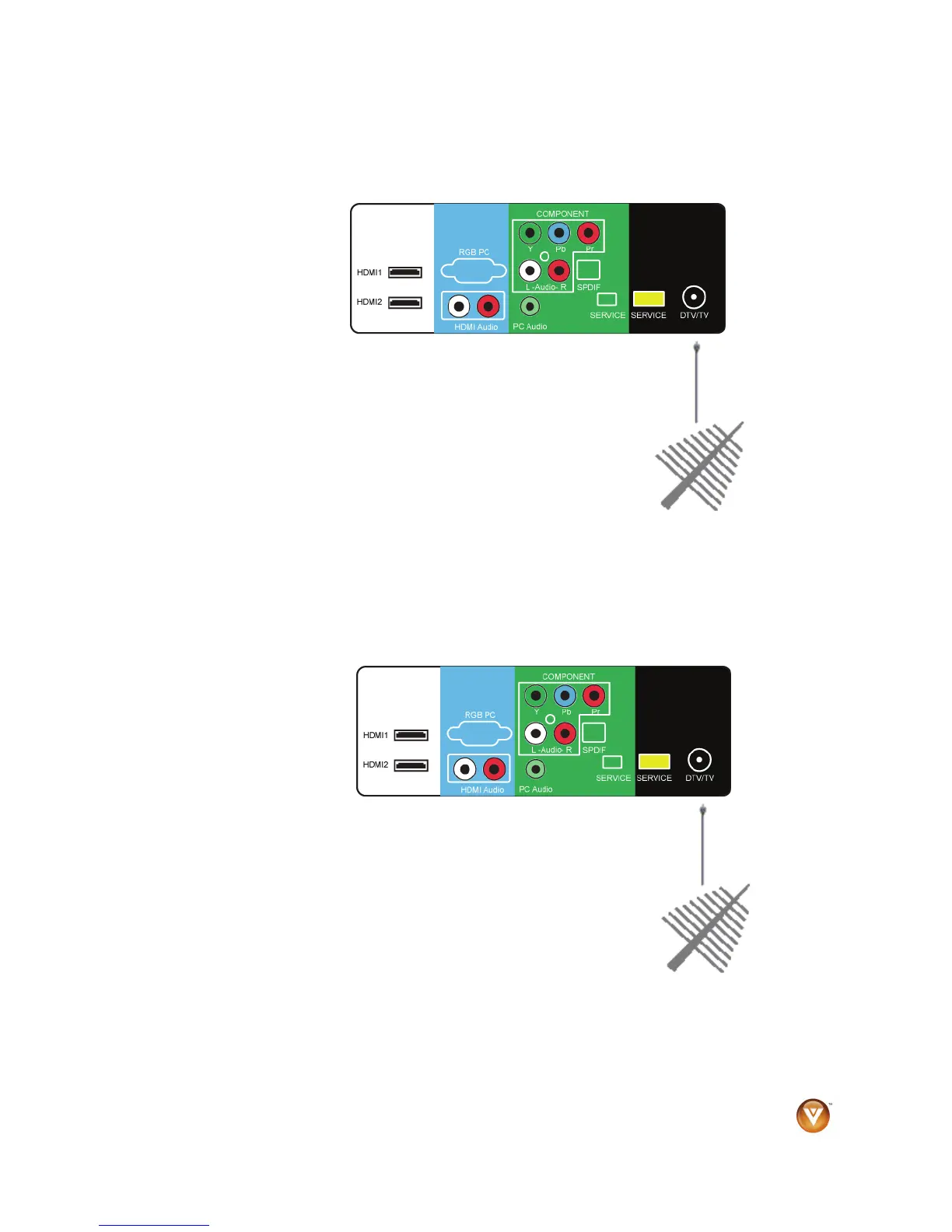
Connecting Coaxial (RF)
Using Your Antenna or Digital Cable for Standard TV or DTV
1. Turn off your HDTV.
2. Connect the coaxial (RF) cable from your antenna or digital cable
to the DTV/TV CABLE/ANTENNA jack on the back of your HDTV.
3. Turn on your HDTV.
4. Press TV on the remote control to view digital TV content or press
TV to view standard TV content. You can also press INPUT on the
remote control.
NOTE:
! Not all digital TV broadcasts are high definition (HD). Refer to the
program guides, or consult your cable, satellite or TV station operator.
! Digital broadcasts are not available in all areas. Refer to www.antennaweb.org for detailed
information.
! Make sure the antenna and coaxial cable are correctly grounded.
Using the Antenna or Cable through Your VCR
1. Turn off your HDTV and VCR.
2. Connect the antenna output jack on the back of your VCR to the
DTV/TV CABLE/ANTENNA jack at the back of your HDTV.
3. Turn on your HDTV and VCR.
4. Press TV on the remote control. You can also press INPUT on the
remote control.
NOTE: If you have an off-air antenna or cable TV, connect it to the
antenna in jack on the back of your VCR.



 To Next Page