VIZIO VBR200W User Manual
16
www.VIZIO.com
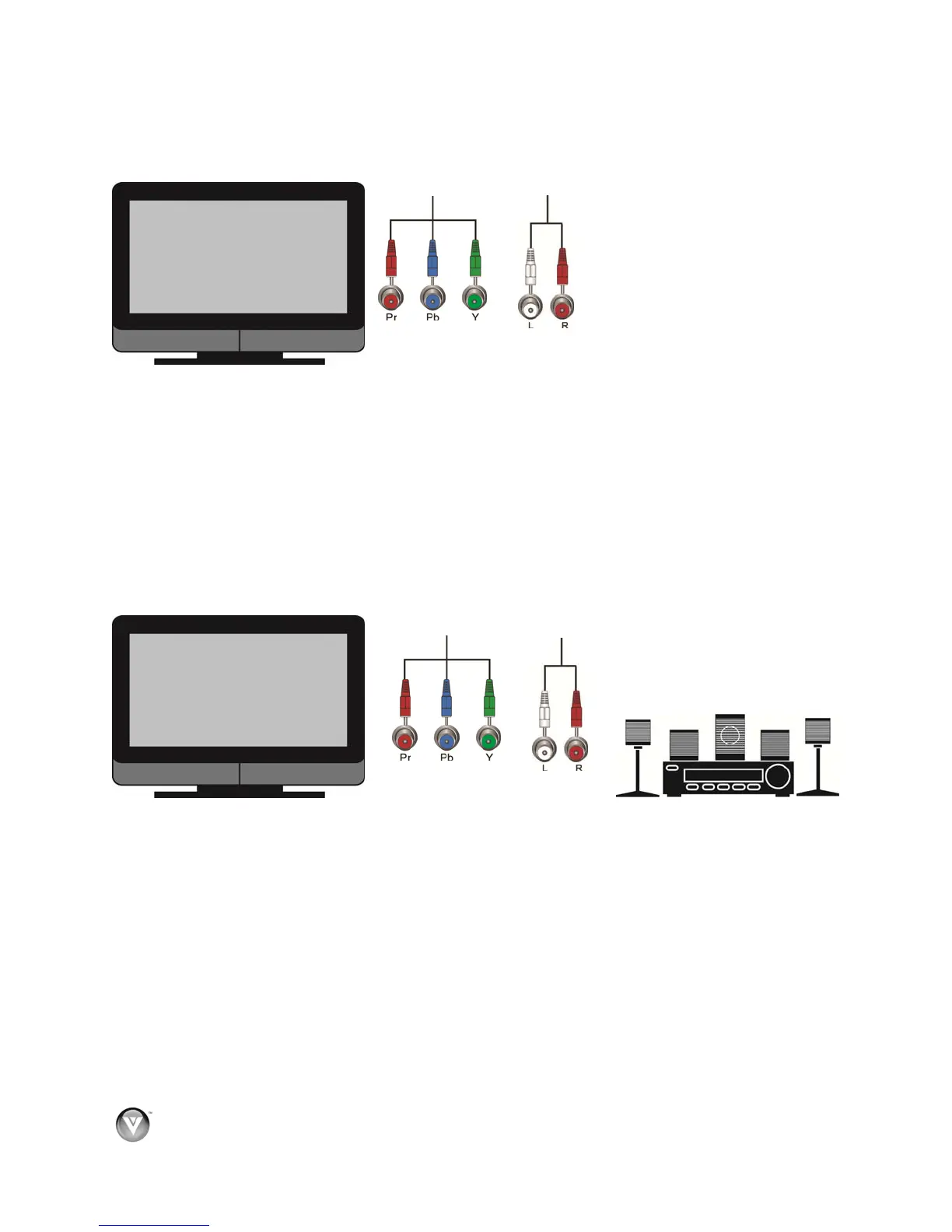
Using Component Video (Better)
Component Video with no home theater sound system
1. Connect the green, blue, and red component cables (not included) from your TV to the
COMPONENT jacks on the back of your player.
2. Connect the white and red audio cables (not included) from your TV to the adjacent
ANALOG L/R AUDIO OUT jacks on the back of your player.
3. Turn on the power to your player.
4. Select the corresponding Component input on your TV to view the disc.
Component Video with a home theater sound system using analog audio
1. Connect the green, blue, and red component cables from your TV to the COMPONENT jacks
on the back of your player.
2. Connect the white and red audio cables (not included) from your TV to the ANALOG L/R
AUDIO OUT jacks on the home theater system.
3. Turn on the power to your player.
4. Select the corresponding Component input on your TV to view the disc.



 To Next Page