VIZIO VBR200W User Manual
Version 3/30/2010 7
www.VIZIO.com
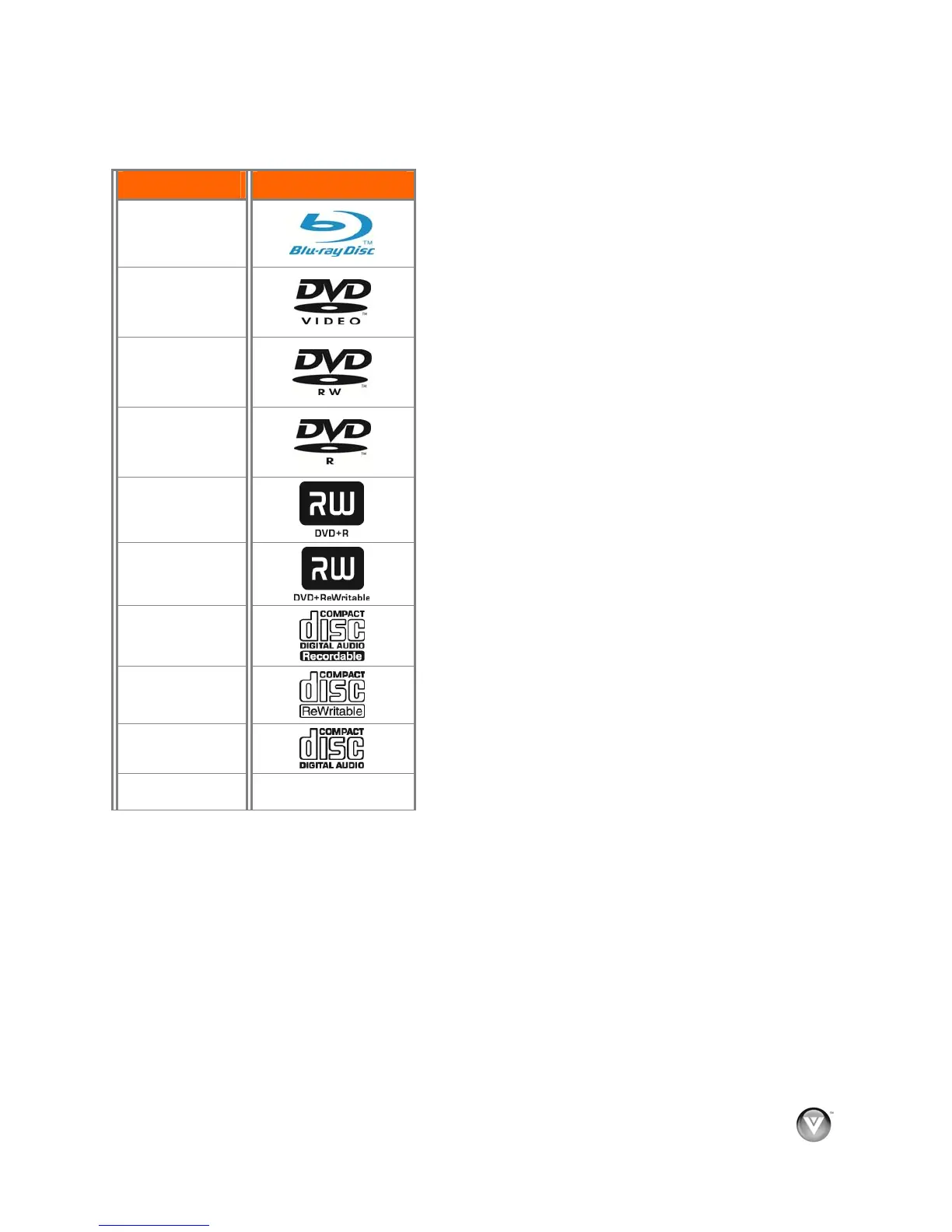
Supported Discs
Note:
Your player can play CD-Rs, CD-RWs, DVD-RWs,
and DVD-Rs recorded with UDF or ISO9660 format.
Writeable DVDs (DVD-RW, DVD-R) must be
finalized (VR mode only).
Your player supports AVCHD playback on
writeable media (DVD±R, DVD±RW) only.
Supported file extensions
.mp3 (high bit-rate or variable bit-rate .mp3 files
may not play back correctly)
.jpeg
.jpg
Region codes
Blu-ray Discs and DVDs have region codes to help prevent
illegal distribution of discs. If the disc’s region code does
not match your player’s region code, the disc will not play.
The disc’s region code is displayed on the disc or disc
packaging. You can only play Blu-ray Discs that have a
region code of A and you can only play DVDs that have a
region code of 1 or ALL.
Disc Type Logo
Blu-ray Disc
DVD-video
(DVD-ROM)
DVD-RW
DVD-R
DVD+R
DVD+RW
CD-R
CD-RW
Audio CDs
(CDDA)
MP3/JPEG/Data
CD



 To Next Page