DISPLAY
4746
VX4 User manual V1.0VX4 User manual V1.0
ENGLISH
DISPLAY SETTINGSDISPLAY
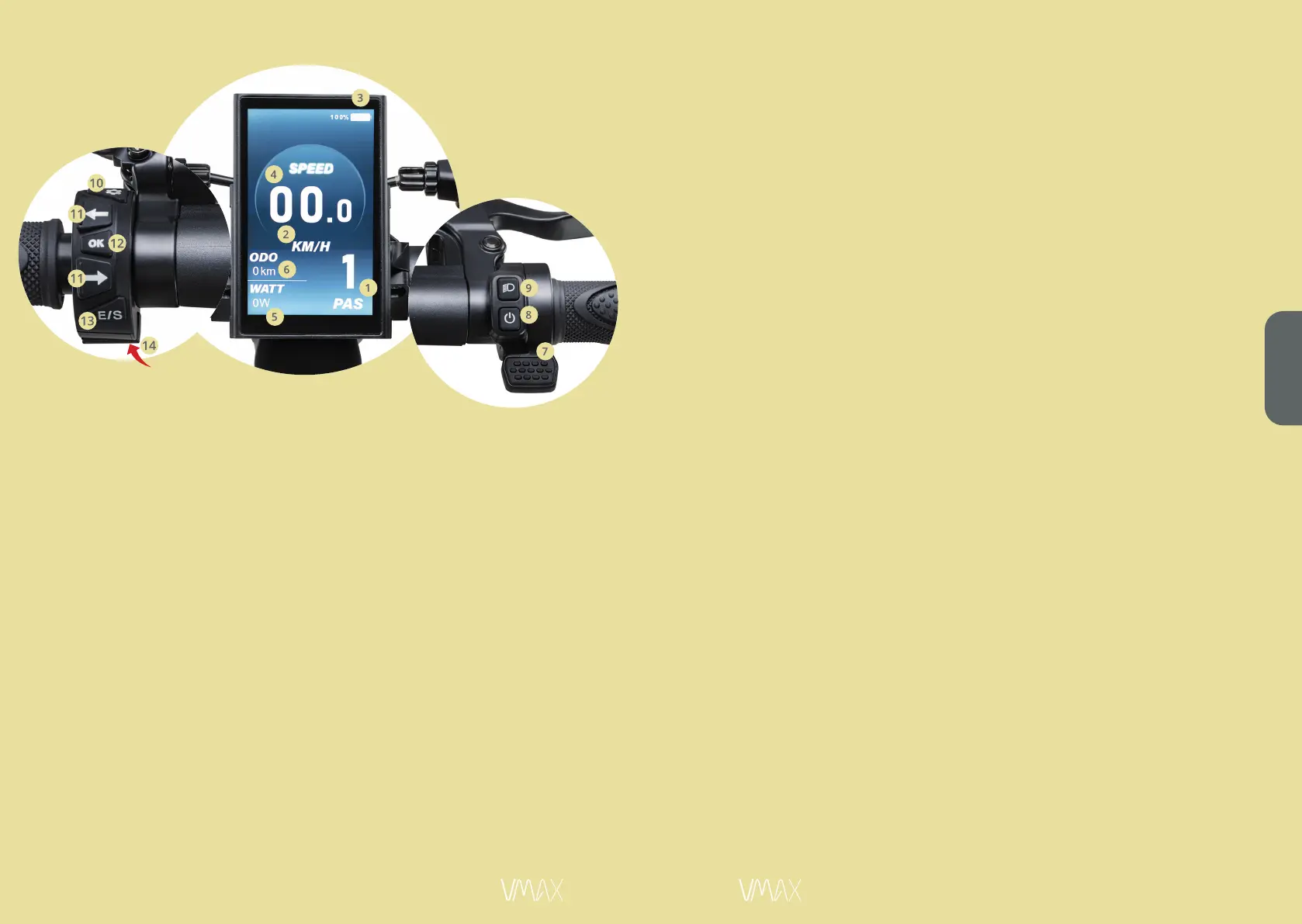
1. Gear
2. Km/h
3. Battery indicator
4. Speed
5. Watt
6. Mileage
7. Accelerator
8. On / offbutton
9. Light button
10. Menu button
11. Turn signal buttons
12. OK button
13. E/S button
14. USB connector
USER SETTING
1. Trip distance and trip time clearence
a. NO = Basic value, trip distance and trip time are cumulated
b. YES = Trip distance and trip time are set to 0 again
2. Background light
a. Set background light level 1-3 as desired
3. Unit setting
a. Setting km/h or mph
4. Speed limit setting
a. Basic setting for the respective country
(can only be adjusted for the EU / USA version)
5. Zero start settin
a. 1 = Basic value (kein Zero Start)
Scooter can only accelerate from approx. 3 km/h
b. 0 = Zero Start
Scooter accelerates when lever is pressed from standstill
Operating elements:
To enter the display settings, the menu button must be pressed for
2 seconds.
The blinker buttons can be used to navigate between the items in
the menu. By pressing the OK button, a menu will be opened, to get
back to the main menu page, the OK button can be pressed for two
seconds.
To switch between gears, the E/S button must be pressed.
To switch between Trip (last trip) and ODO (total trip) displays, the
OK button must be pressed for 2 seconds.
(Smartphone charging)


 To Next Page