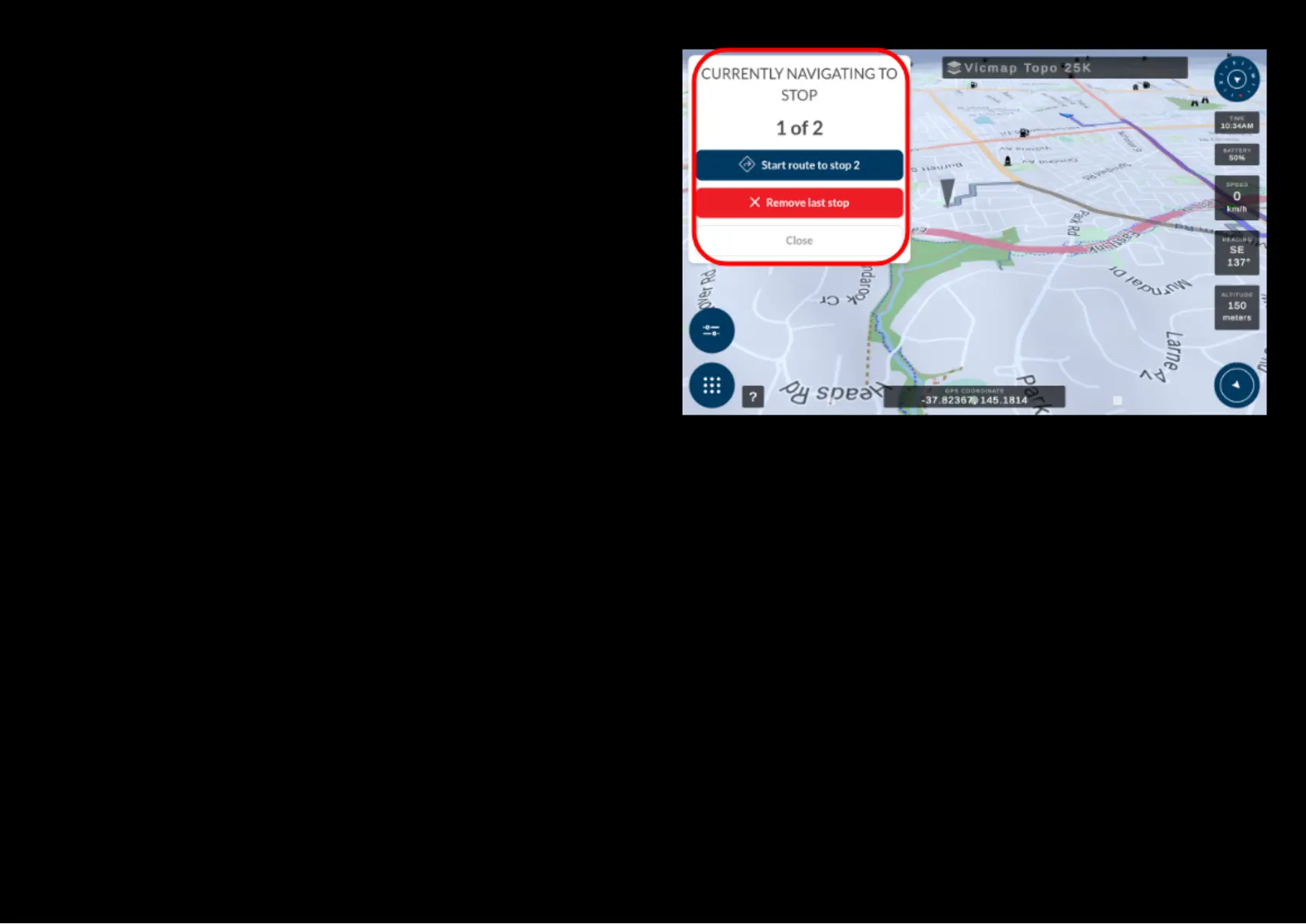
Once you press the pen icon, an option box shows up on the left of your
screen as depicted in the picture. You can do as follows:
● Route to the new added point
● Remove the latest map point
● Close to the dialogue box without making any changes
Based on your choice a relcaluated route will appear on the left of your
screen with an updated ETA.


 To Next Page