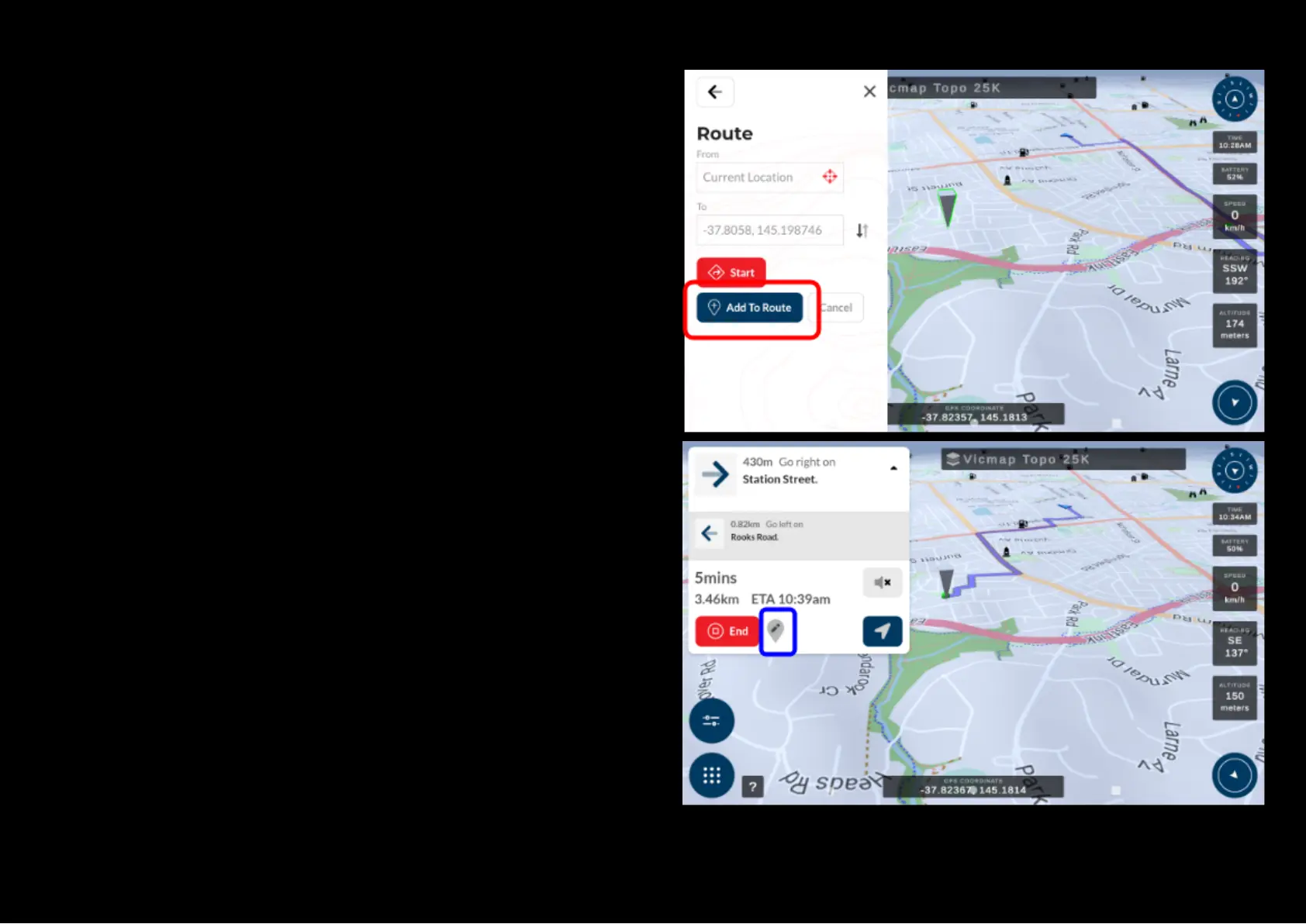
Adding a route point to an existing navigation route
When a navigation route has been calculated, you can add in an additional
Map point to extend your navigation route by creating a new Map point by
holding down on a particular area on the map. Once a waypoint appears on
the point you held down on, select the waypoint and then press the red
‘Route’ button. Then select the blue ‘Add to Route’ button. The unit will
recalculate the route and add the new point to it too.
You can add as many points to extend your route as you like and the end
point of your route will be extended to the latest added map point.
You can edit the extended route by selecting the pen icon beside the red End
button to alter the stop point of the navigation route.


 To Next Page