TRACKLOGS
What is a tracklog?
A tracklog, also known as a bread crumb trail is simply a record of your
previous GPS positions displayed as a “trail” on the map.
Creating a tracklog
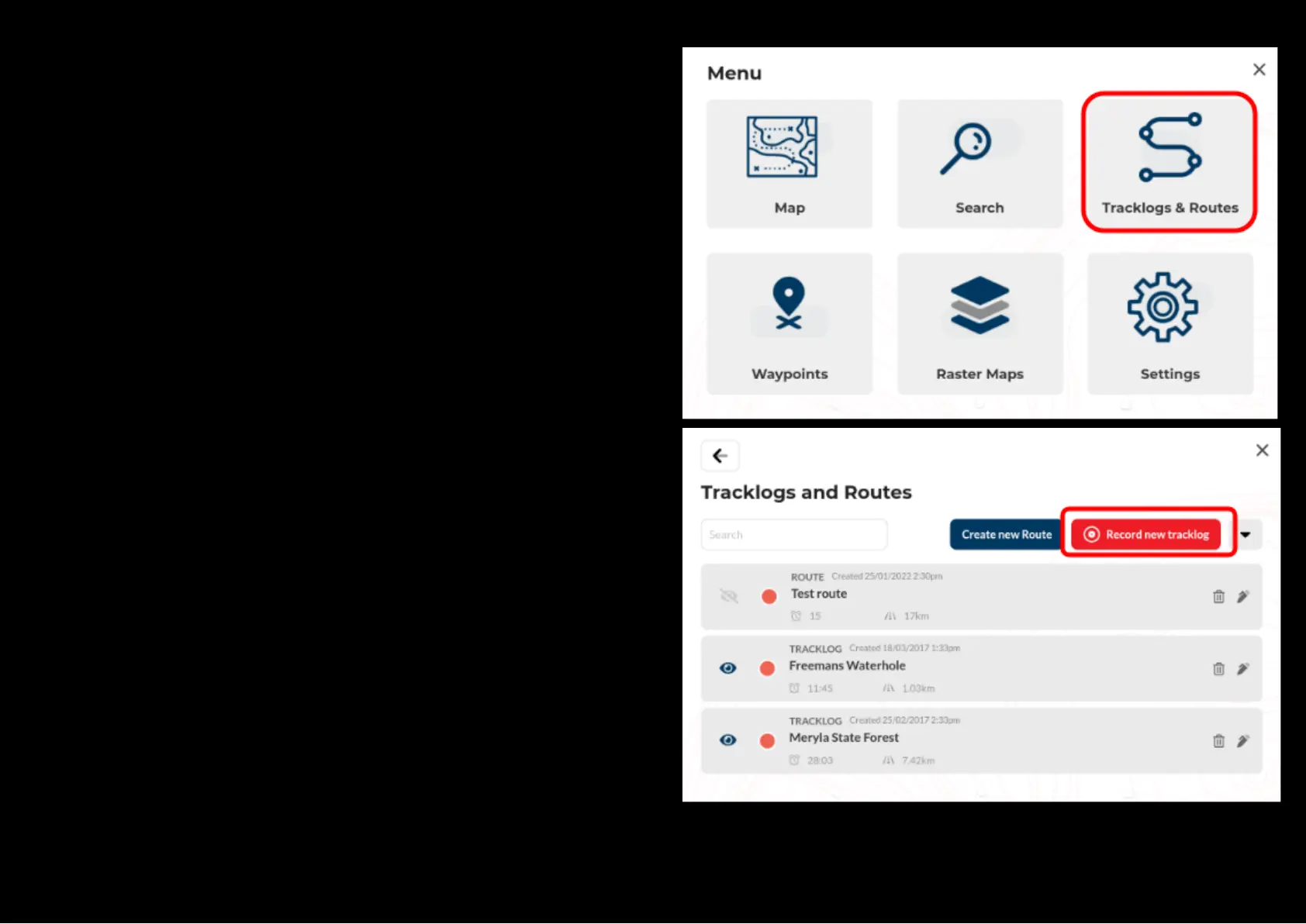
All the tracklogs features can be accessed via the main menu by selecting
the ”Tracklog” button.
It is advised to press the “GPS lock Position”’ button on the Map View
Screen to reposition your current location to the centre of the map before
you start recording a new tracklog.
Press the “Record new tracklog” to begin creating your new track log.
As soon as the aforementioned button is pressed, the GPS will start logging
your current location to form a tracklog.
This feature can also be accessed via the Quick Menu on the left hand side
of of the Map View screen.


 To Next Page