SEARCH
Search for a POI or a location by its address or
coordinates
If you know the name of the place of interest, you can use this function to
search for your destination by typing the place in.
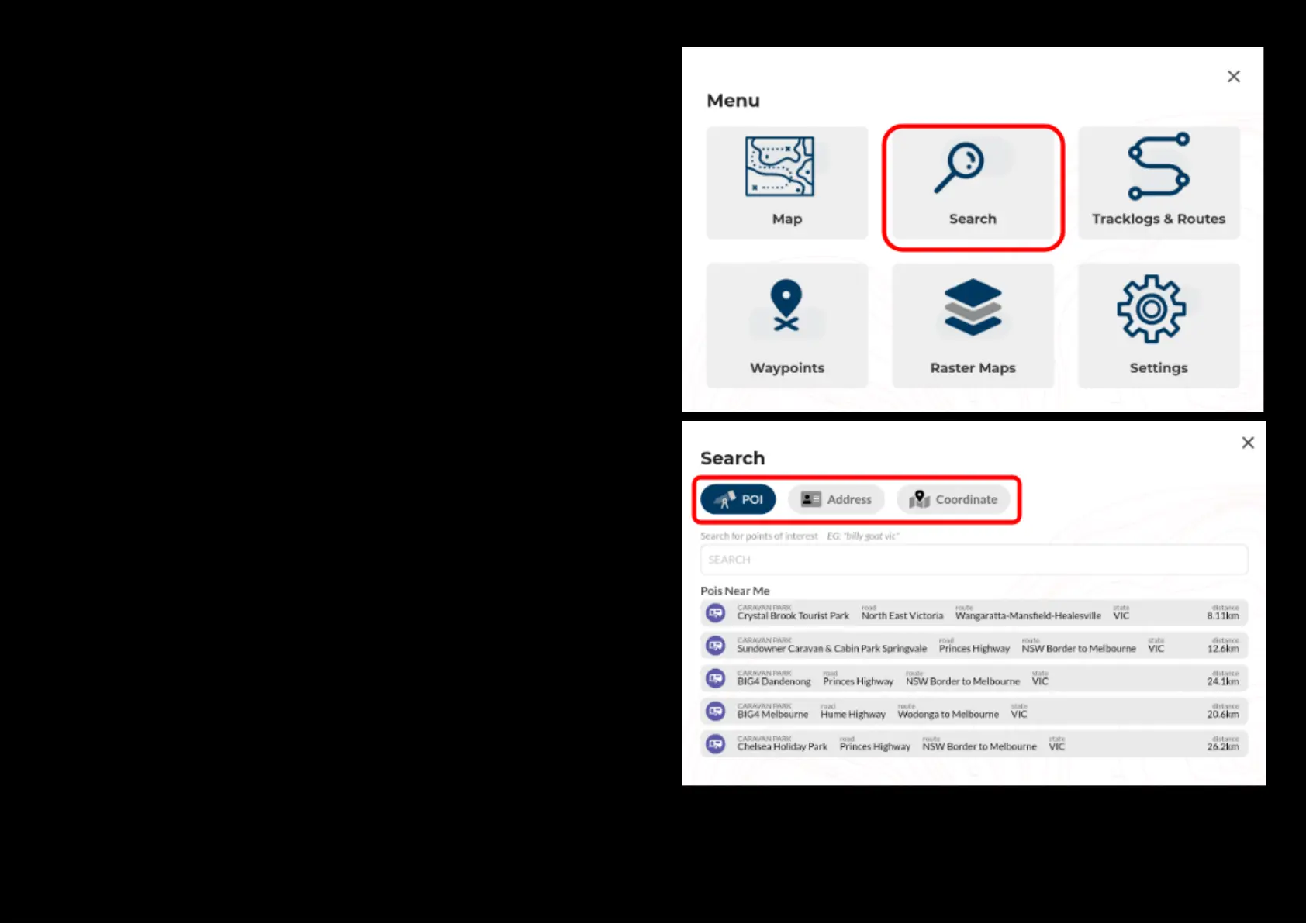
To begin, select ‘Search’ from the main menu or press the search key on top
left of your map screen.
In the search toolbox, you can search a place in the existing database by
inputting the name of the POI (Point of Interest) or by its physical address or
by its actual GPS coordinates.
When a search is performed, it will return a list of results that contain part of
the word typed into the search.
Search results may vary depending on how the search terms are being
phrased, so please be as specific as you can be while typing in your search
phrase.
In the search toolbox, you can also see a list of recent search results for the
ease of future retrieval.


 To Next Page