ROUTES
What is a route?
A route is a series of waypoints linked together to provide accurate
navigation information along the way. Each waypoint on the route is a “via”
point. When each point is reached, the next waypoint in the route is
automatically called on and navigation continues.
Creating a route
Prior to accessing the “Tracklogs & Routes” menu, please locate the region
or map you wish to plot the route on.
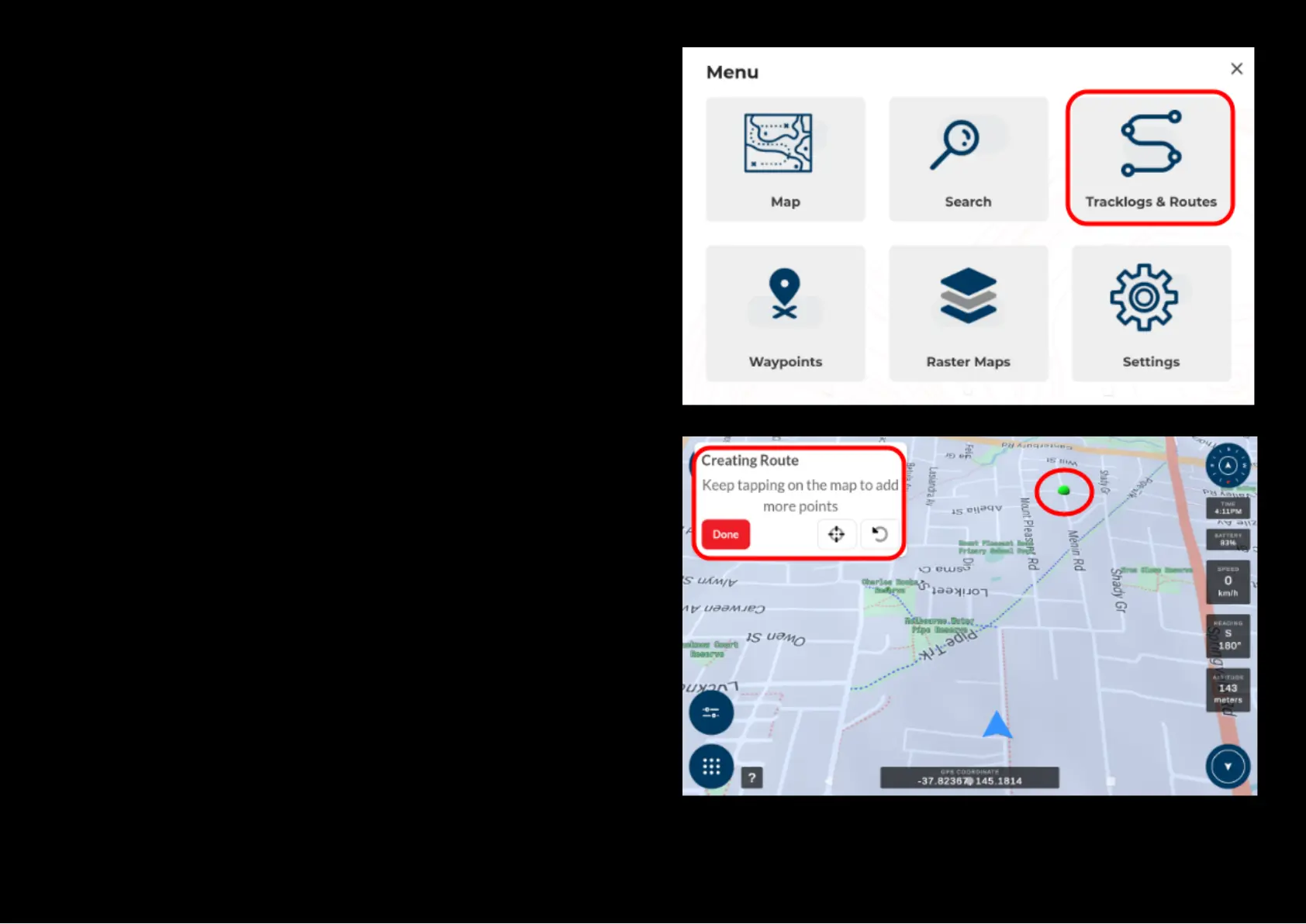
When you are ready, access the main menu (Lower left corner) and press on
“Tracklogs & Routes”.
Press the “Create New Route” button. A crosshair button will be displayed on
the Creating route toolbox., which can be used to position the map to the
centre of the screen with reference to the latest waypoint, if required. Tap the
screen to add your first way point which will appear as a “Green colour dot”
on the screen.


 To Next Page