RASTER MAPS
Manage and use raster maps
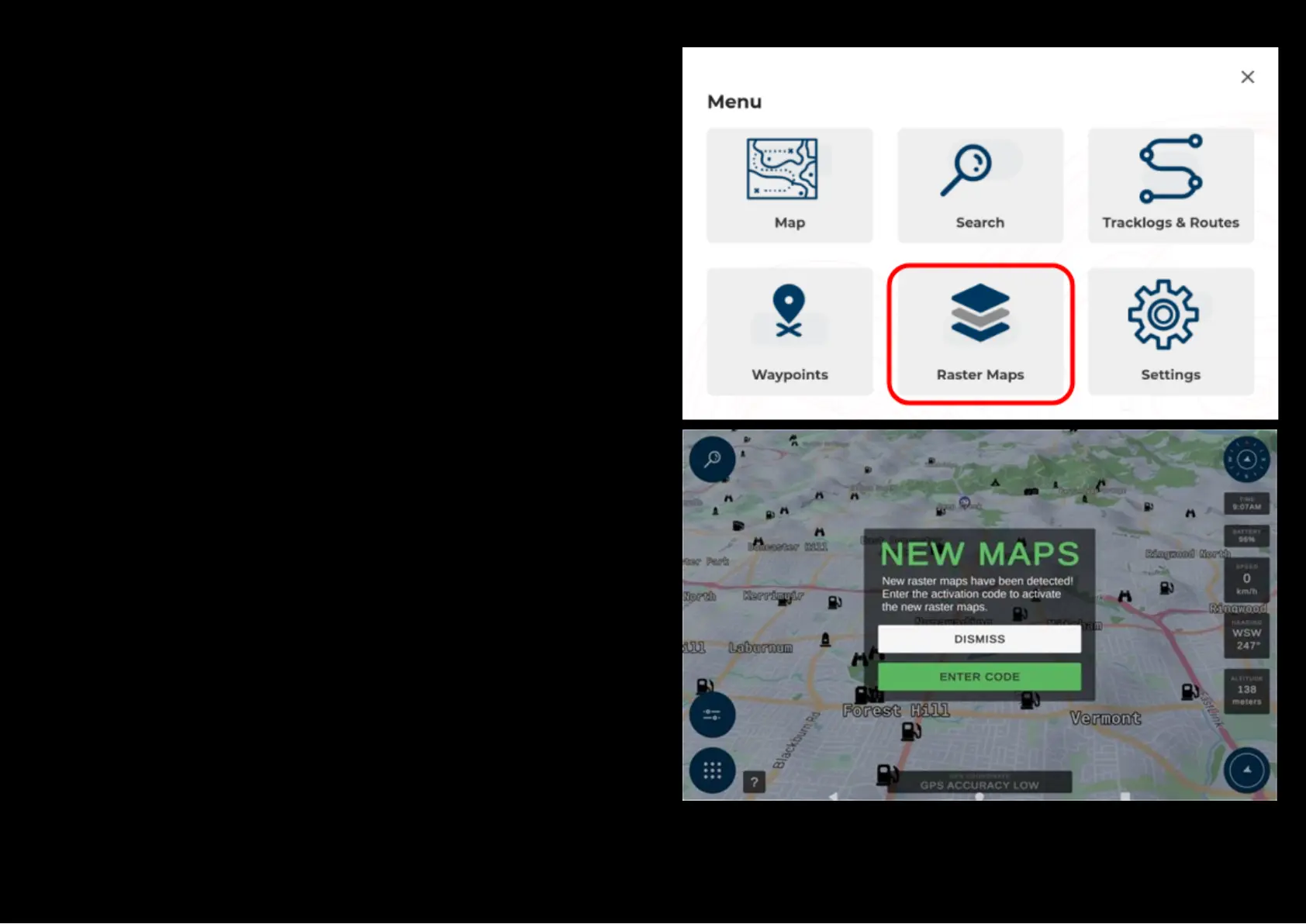
To view and manage all the available raster maps being stored on the
microSD card, press the ‘Raster maps’ button from the main menu.
You will also be prompted automatically to enter a raster map activation
code when new maps are detected by the system when you re-launch the
application.


 To Next Page