31
9. SETTINGS
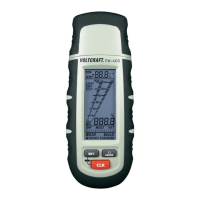
To get to the setting mode, push the buttons “SET” and “CLR” at the same time with the device
activated.
Push the button “MODE” to choose between the following fi ve options. Please observe the
following chapters.
- Temperature compensation (“TEMP”)
- “Dry” indicator
- “Wet” indicator
- Lighting (“LIGHT”)
- Temperature unit (“UNIT”)
The setting mode is terminated automatically after the last function. All changed values are
saved. If indicator values are changed, they are reset again to factory settings after the meter
is activated again.
a) Temperature Compensation
The material moisture depends on the material temperature. The meter always measures the
current ambience temperature and uses it for calculation. For a higher measuring accuracy,
the material temperature can also be set manually on demand.
For this, push the button “SET” to increase the displayed temperature and the button “CLR” to
lower the temperature.
b) Dry-/Wet Indicator
The pre-defi ned indicator values for building moisture measurements can be adjusted by you.
Use the button “MODE” to select “DRY” or “WET” mode.
Use the button “SET” to increase values, the button “CLR” to reduce them.
The meter can be set from 0 – 1000.
Observe the values from the following tables.








 To Next Page