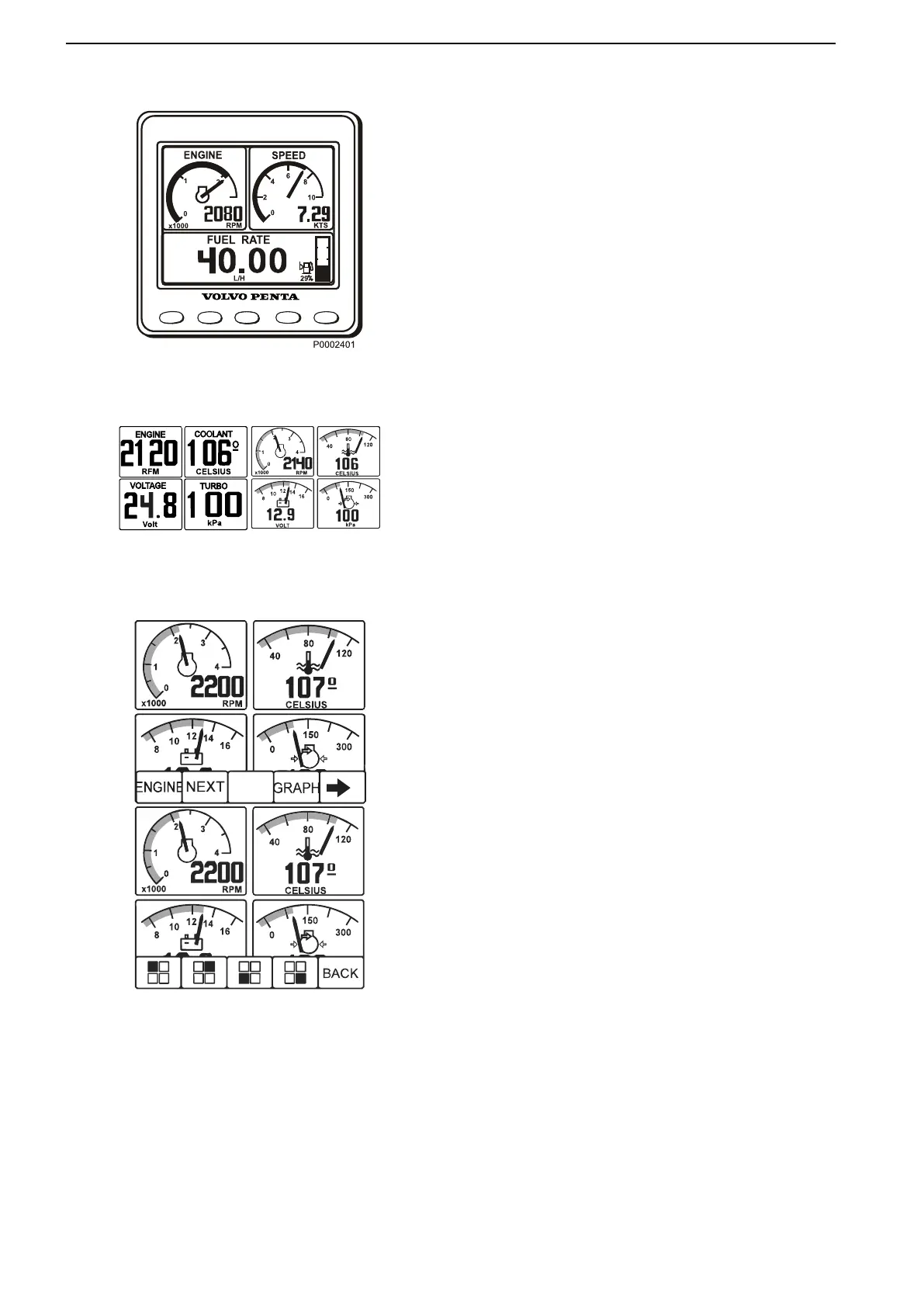
Engine, button 1
Engine revolutions and speed are shown in the upper
part of the window. Operating hours are displayed in
the lower part, along with a fuel level indicator if this
function is installed.
If speed information is lacking, coolant temperature will
be shown instead.
Multi, button 2
Operational information is displayed in four analog or
digital windows in the multi screen. The display can
either show several windows, or be divided so that the
lower part shows System information. To switch
between the different screens depress button 2 repeat-
edly.
If the selected information is lacking, the symbol “—”
will be displayed: for analog instruments the dial will be
absent.
Selecting screens
Depress the right arrow (button 5) to select the infor-
mation to be displayed in each respective window.
Then repeatedly depress the button that corresponds
to the window to be set until the desired information is
shown.
The type of information accessible depends on the
type of electrical system and sensors the boat is equip-
ped with.
Instruments and Controls
14 47702088 05-2011
47702088 - Downloaded from www.volvopenta.com 02/06/2011 18:54:55



 To Next Page