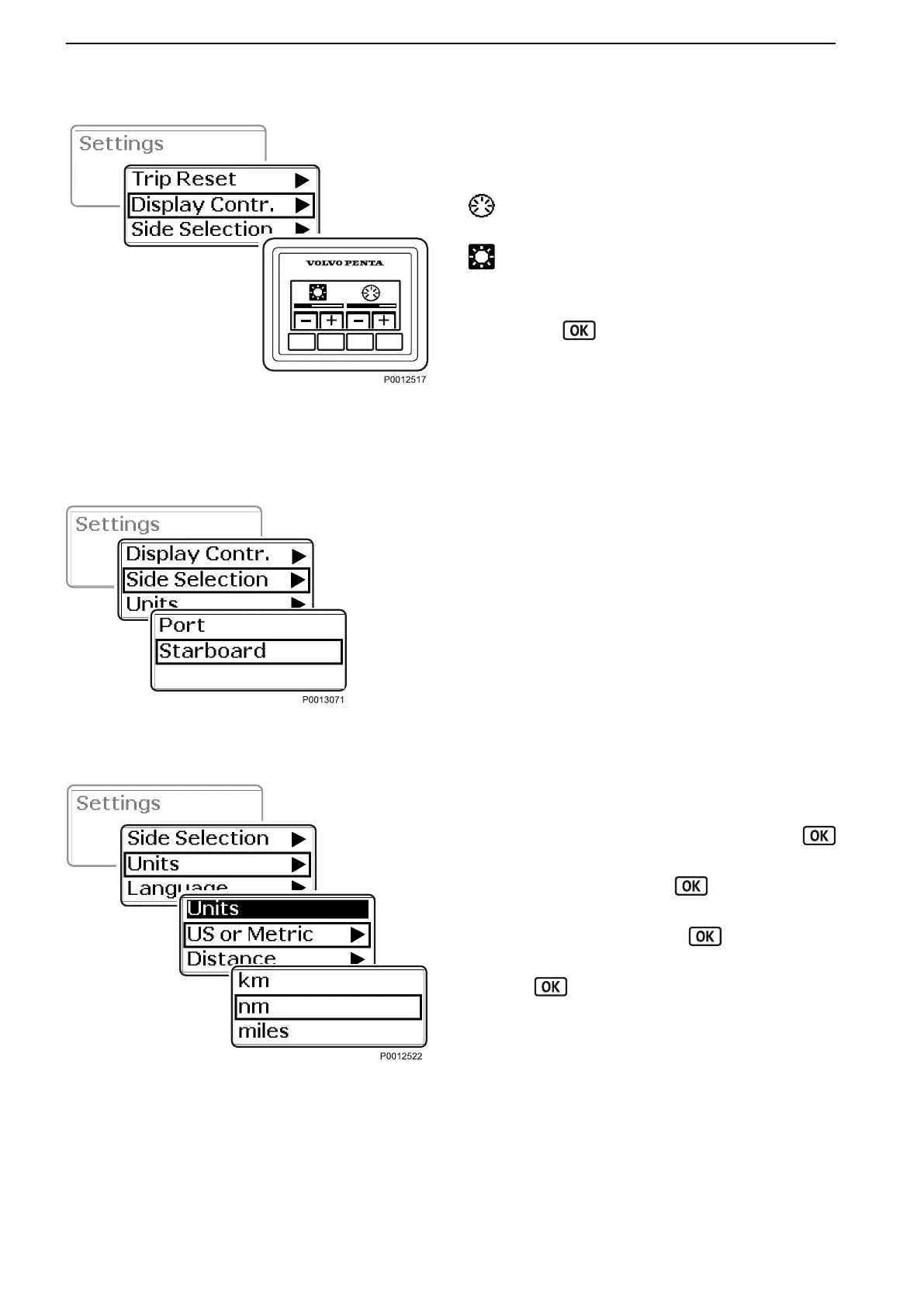
Display Contrast
Adjust the screen contrast.
The adjustment will affect all screens.
Backlighting
Contrast
1 Navigate to Display Contrast in the settings menu
and press
to open the submenu.
2 Use + and – to increase or reduce the contrast or
backlighting.
The screen will return automatically to the settings
menu.
Side Selection
Set from which engine information is to be show in dis-
play.
Units
Setting the units information will be shown in.
1
Navigate to Units in the settings menu. Press
to open the settings menu.
2
Open US or Metric, press
and select Ameri-
can or metric units.
3
Navigate to Distance, press
and then select
kilometers, nautical miles or miles.
4
Press to confirm the selection.
Display Contrast
Side Selection
Units
Calibration and Settings
122 47705992 05-2015 © AB VOLVO PENTA



 To Next Page