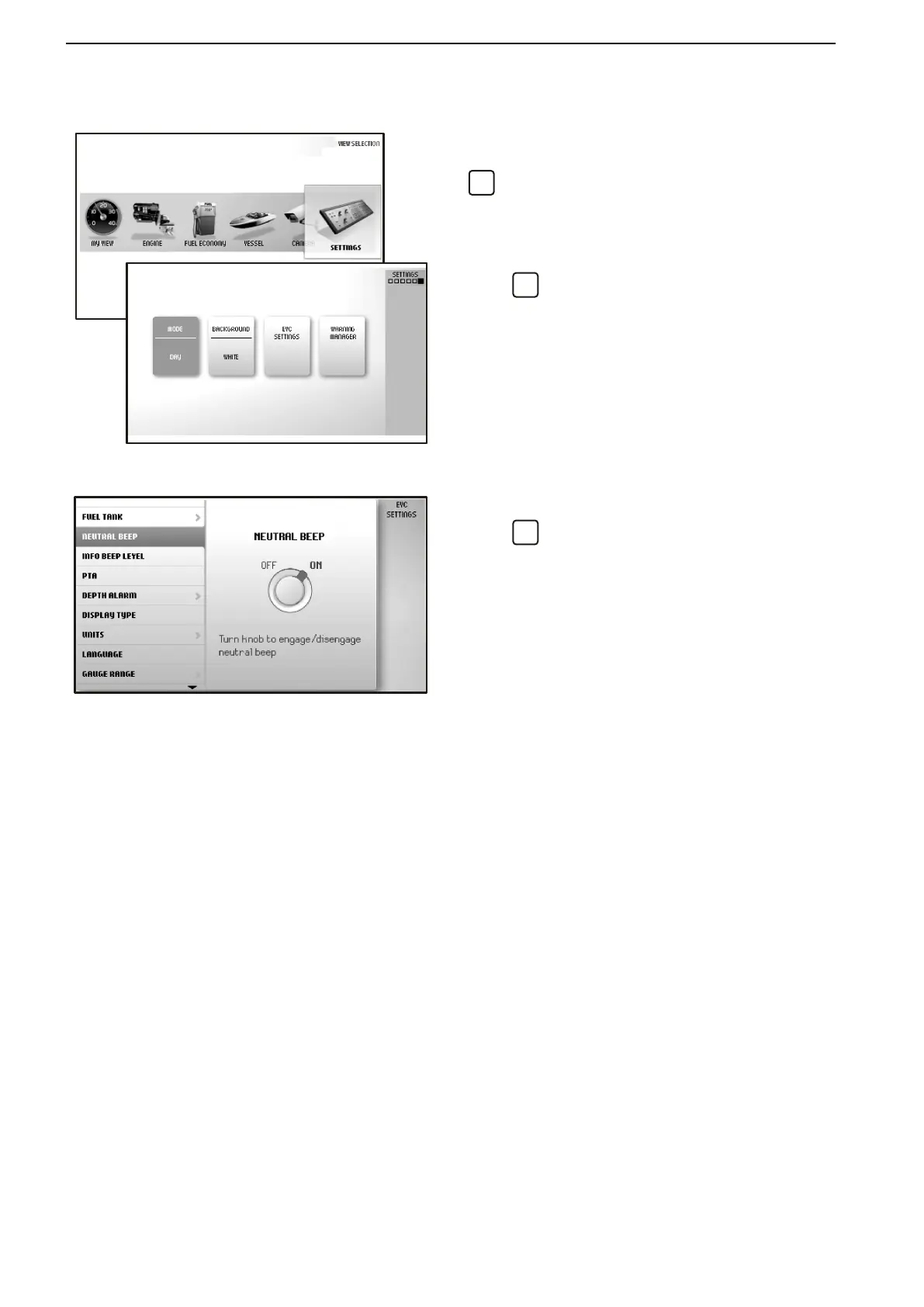
Settings
Screen settings and different function settings are
made in this view. Turn to the desired menu and press
to access the submenus.
Mode
Choose between the modes Day (dark text on a white
background) or Night (light text on a dark background).
Press
to switch between modes.
Background
Choose between the background colors Gray, Aqua,
White, Carbon and Red.
EVC Settings
Press
to access the settings menu.
Settings for the display, switching functions on and off,
audible alarm settings, alarm limits, language and
units. Information regarding boat installations is also
found here.
Key Management: add and remove keys. Refer to Key
Management page 126.
Neutral Beep: switching on and off the beeper that
sounds when the control is in the neutral position.
Info Beep Level: setting the volume of the signal that
confirms when a function has been activated, or deac-
tivated.
Trip Computer Reset: zeroes all values in the trip
computer.
Camera: for laterally inversing the image shown or
showing the camera at a docking station.
Display Type: for selecting the engines the informa-
tion in the display concerns, and the type of installation
the display forms part of.
Infodisplay Contrast: for adjusting the contrast on all
displays at the helm station.
Units: setting units (metric/US/imperial) and unit of
distance (km, NM or miles).
Language: selecting the display language.
Instruments and Controls
30 47705992 05-2015 © AB VOLVO PENTA



 To Next Page