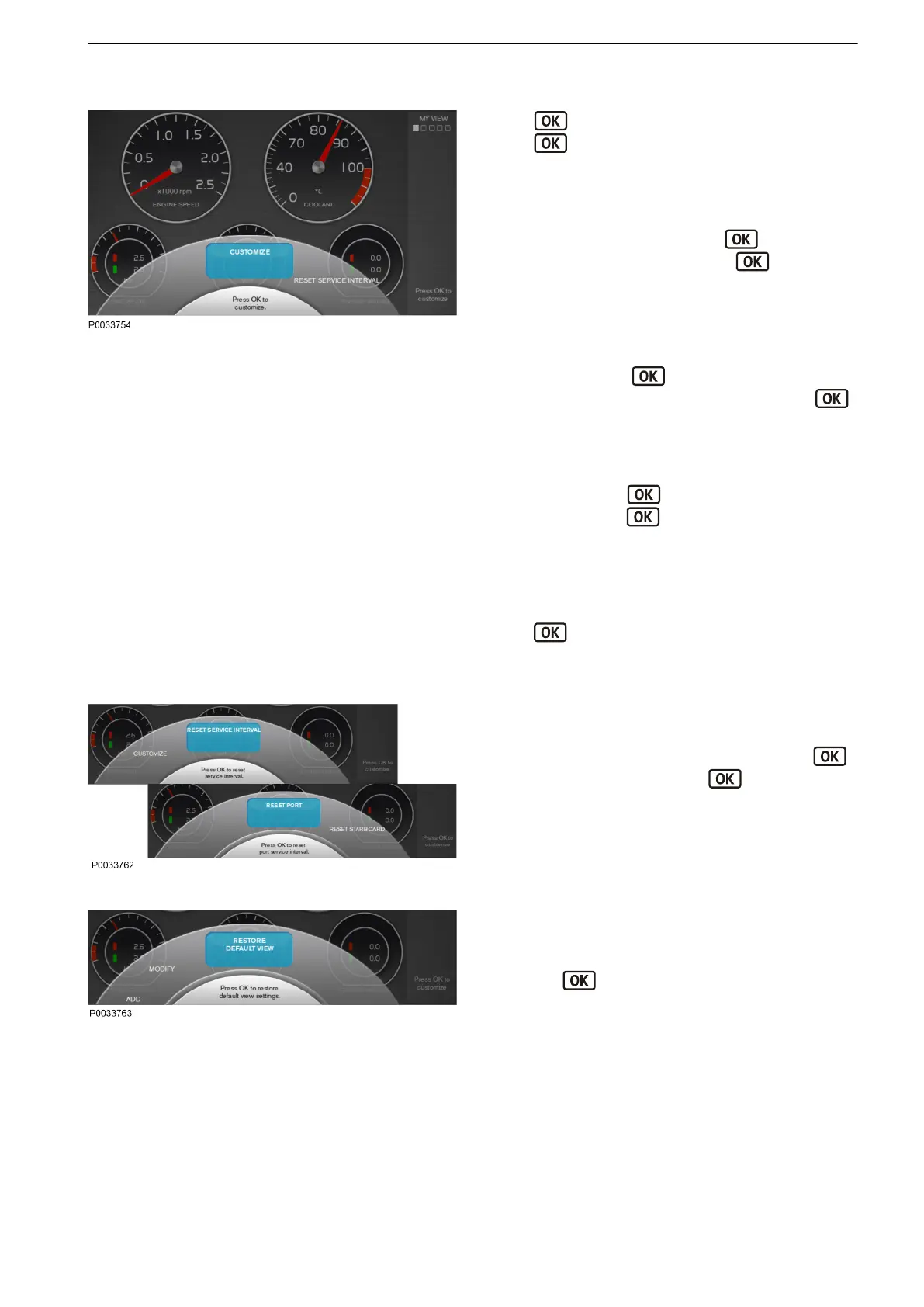
Customize
Press button to open the Customize popup.
Press
button again to access the submenus and
use the knob to navigate between them.
Add an instrument
To add an instrument to be displayed in My view, turn
the knob to menu ADD and press . Select the
instrument and confirm by pressing . The added
instrument is displayed at the bottom-right corner of the
display.
Remove an instrument
To remove an instrument from My view, turn the knob to
REMOVE and press . Select the instrument to be
removed and confirm the selection by pressing
again.
Modify an instrument
To change an instrument in My view, turn the knob to
MODIFY and press
. Select the instrument to be
changed and press again. Choose between the
following options:
Remove, removes the instrument.
Replace, change one instrument for another by
turning the knob to the desired instrument and press
the
button.
Analog/Numeric, specify whether the instrument
will be displayed as analog or digital.
Reset service intervals
It is possible to the reset service intervals by turning the
knob to RESET SERVICE INTERVALS. Press
and then select driveline, press again to confirm
the reset.
Restore Default View
To revert My view to default settings, turn the knob to
RESTORE DEFAULT VIEW in the Customize menu
and press , press again to confirm.
Instruments and Controls
47712786 11-2022 © AB VOLVO PENTA 39



 To Next Page