Glass Cockpit Display
The Glass Cockpit Display is switched on and off by
pressing .
NOTICE!
For information on how to navigate and customize the
Glass Cockpit display, refer to the integrated Glass
Cockpit Manual. Go to Info > Owner`s Manual to see
the manual in the display or download the latest
manual on www.garmin.com.
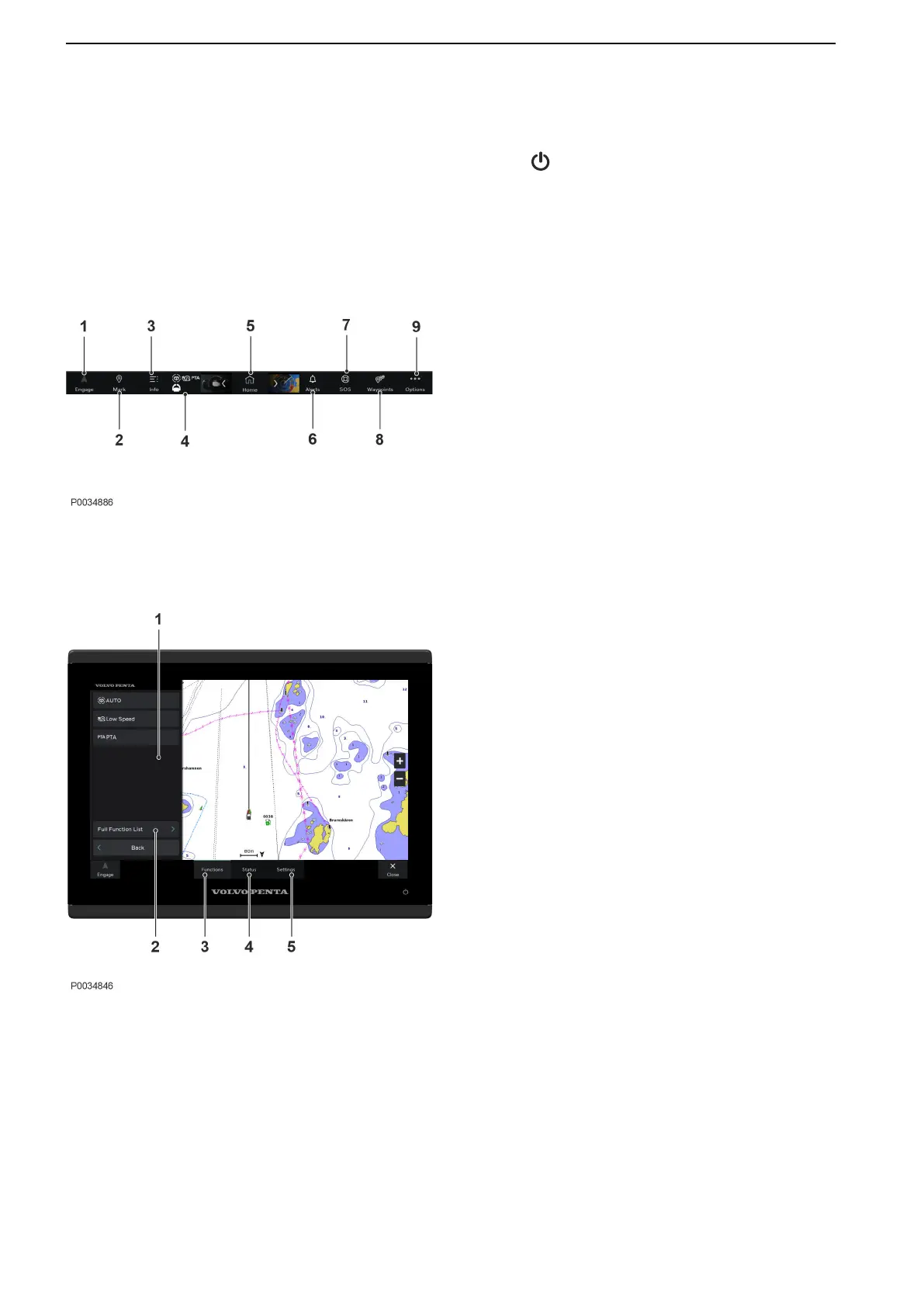
Overview
1 Engages and disengages the autopilot
2 Creates a waypoint at your location
3 Information menu
4 Active function list and My vessel menu
5 Home screen
6 Alert menu
7 Creates a SOS
8 Waypoint List
9 Options menu
My Vessel Menu
1 Currently active functions
2 List of alla available functions onboard
3 Shows active functions and full function list
4 Volvo Penta specific information
5 Volvo Penta specific settings
Instruments and Controls
46 47712786 11-2022 © AB VOLVO PENTA



 To Next Page