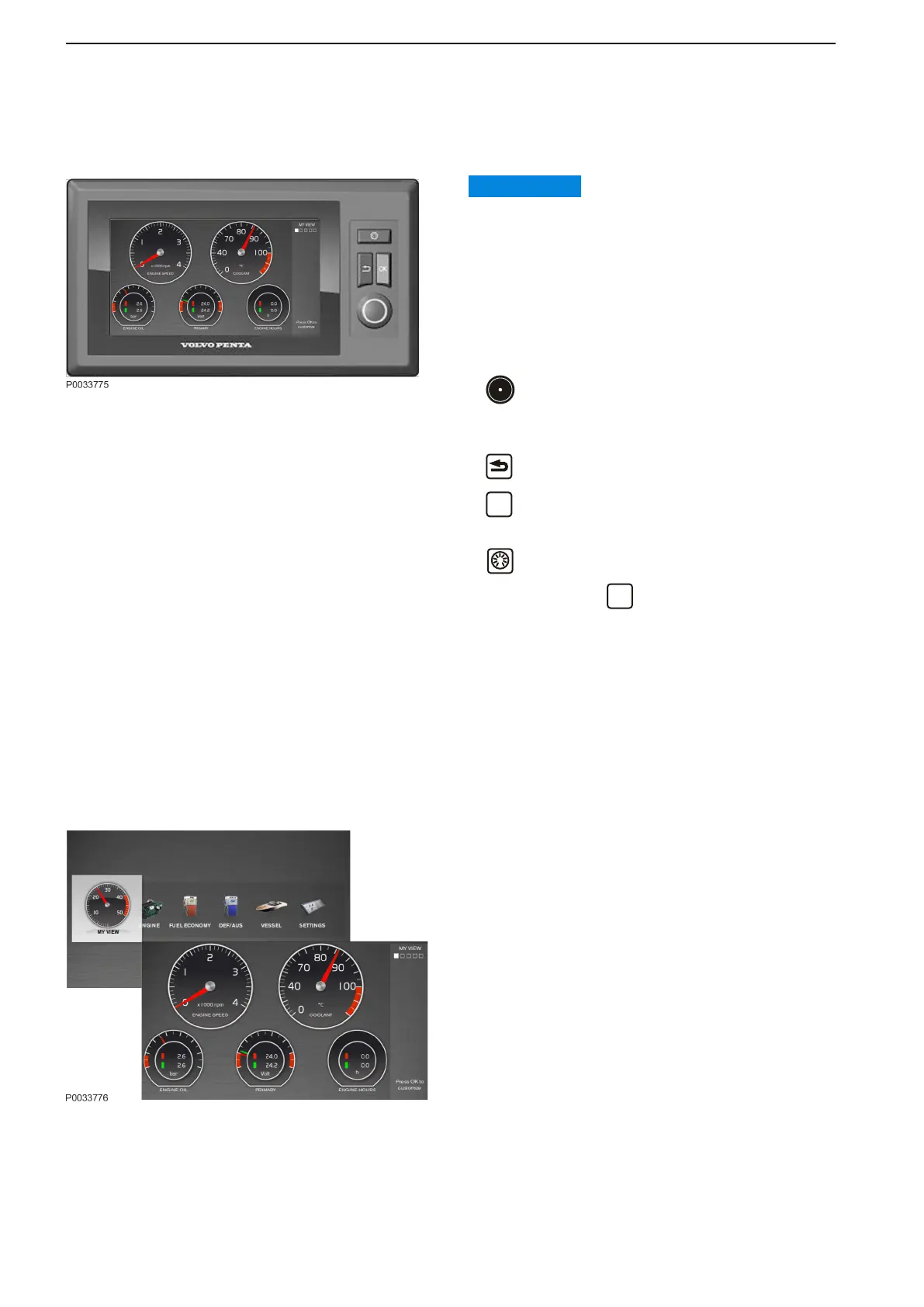
7" Display
Via the 7” display it is possible to view and control all
installed functions in the Volvo Penta control system.
IMPORTANT:
Prolonged exposure to strong sunlight can damage the
screen and cause functional faults.
Make a habit of protecting the screen by using the
protective cover when the boat is not in use.
Navigate in the menus by using the knob and the three
buttons. The status field on the right side of the screen
displays the current view, active functions and repaired
faults.
Turn the knob to select what view to be
displayed, to navigate in submenus and to return to
the main menu.
Return to previous menu.
Confirm a selection. The button can also be
used to access submenus and the Settings page.
Controls the instrument backlight. Confirm
changes with the
button, if not confirmed the
contrast reverts automatically shortly after the
button is released.
Dark station mode
Press the backlight button for at least two seconds
and the display turns off all the backlight. To
deactivate, single short press on the button.
NOTICE! When Dark station mode is enabled, error
messages are not displayed or heard.
My View
In My View boat, engine and transmission data are
displayed as analog or digital instruments. Instruments
can be added or removed from the view by changing
their settings in the Customize popup. Information for
up to three engines can be displayed on the screen.
Color coding is used to separate the information for the
different engines.
Instruments and Controls
38 47712786 11-2022 © AB VOLVO PENTA



 To Next Page