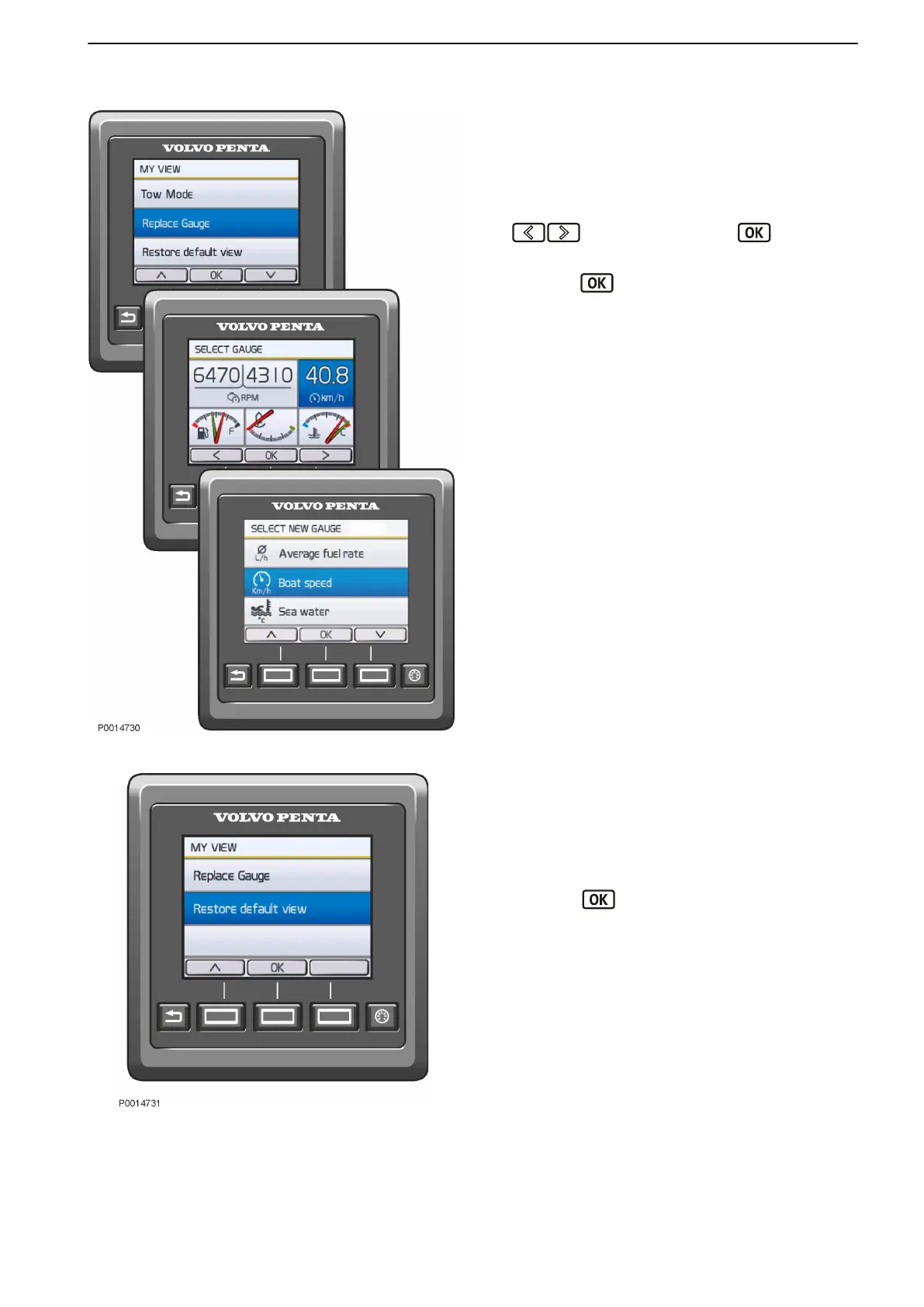
Replace Gauge
In My View, Engine View and Vessel you can decide
on what information to show and where on the display
the information is shown.
1 Press the Menu button and select Replace Gauge.
2 Navigate to the gauge to be replaced using the
buttons and press the button.
3 Select the gauge to replace the former one and
press the
button.
Restore Default View
To revert to the basic display settings, navigate to
Restore Default View.
1 Press the Menu button and select Restore Default
View.
2
Press the
button.
Replace Gauge
Restore Default View
Instruments and Controls
47712786 11-2022 © AB VOLVO PENTA 37



 To Next Page