Depth Alarm
Set the depth alarm function. Refer to Depth
Alarm, page 140 for information on how to turn the
function on or off and set the alarm limits.
Display Contrast
Set the display contrast for all displays.
Display Type
Define for which engines information shall be
displayed.
Units
Set the unit settings for the system (metric, US or
Imperial).
Language
Set the system language.
Speed Factor
If the speedometer is showing incorrect values, it is
possible to correct this by adjusting the Speed Factor.
Refer to Speed Factor, page 146 for more information.
EVC Information
Shows information about components, software, and
functions. Installed functions are check marked.
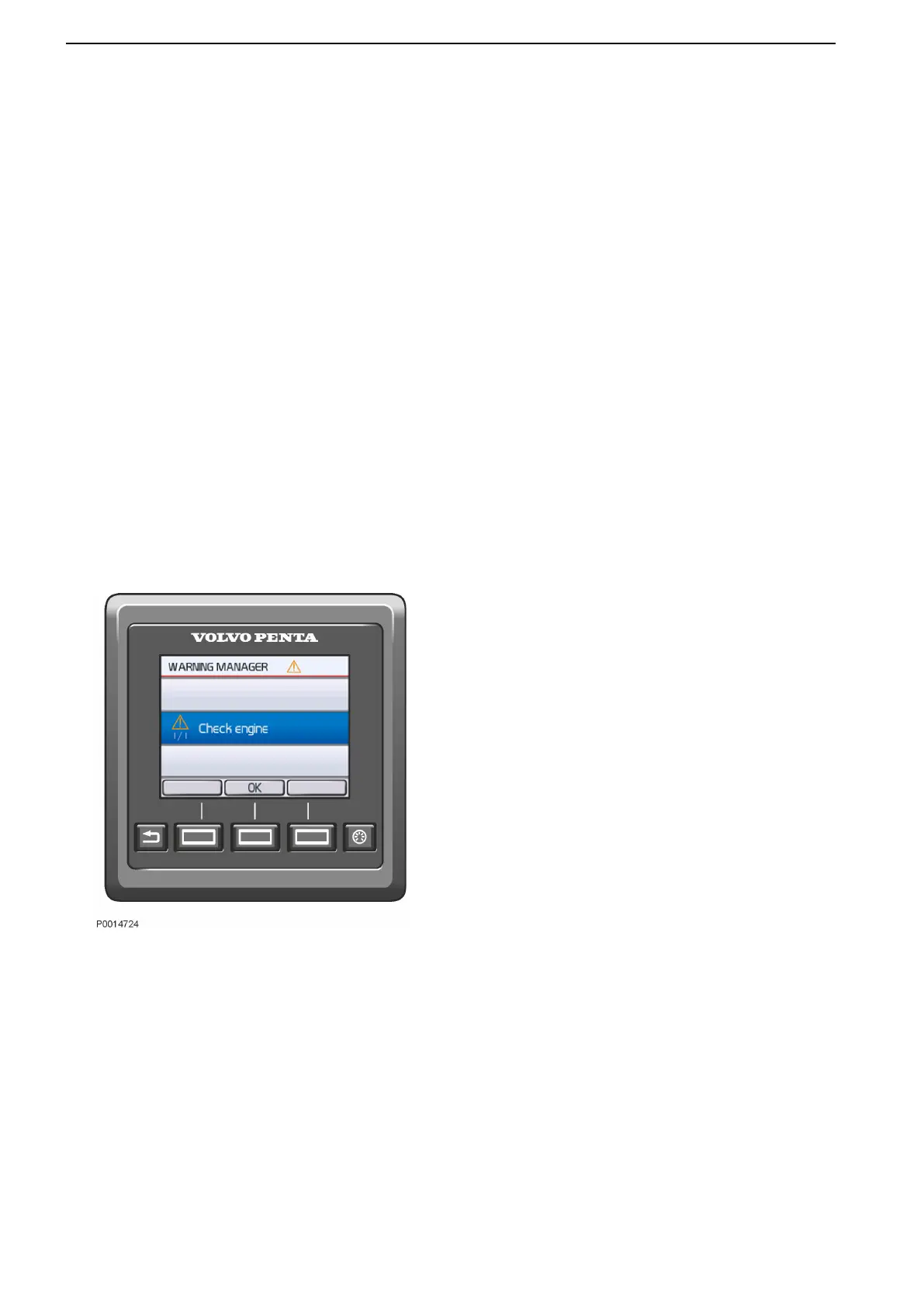
Warning Manager
If the system discovers a fault, the helmsman is
informed by a message on the display. The fault
message must be acknowledged by pressing the OK
button.
All fault messages are stored in Warning Manager,
where the affected drivetrain is shown, the fault is
described and suitable actions are suggested. Refer to
Fault Code Register, page 106 for more information
about different fault messages.
Warning Manager
Instruments and Controls
36 47712786 11-2022 © AB VOLVO PENTA



 To Next Page