Battery view
The Battery View shows the battery status for the
batteries. Use the arrows to toggle between the
different battery groups. Depending on the functions
installed, the following parameters can be displayed:
•
SOC (State of Charge)
•
Time to Empty / Time to Full
•
Voltage
•
Current
•
Battery Health
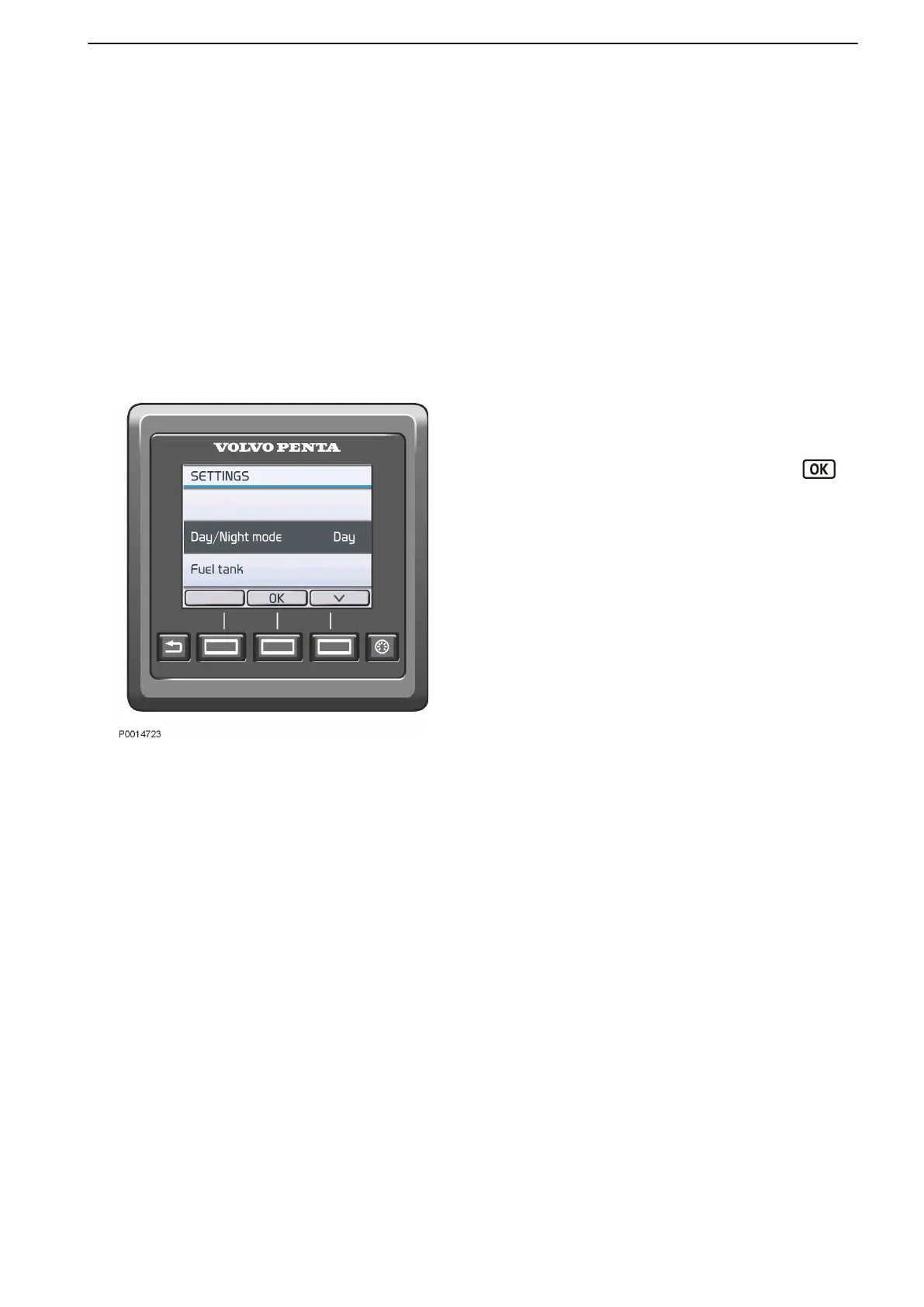
Settings
Display settings and various system function settings
are dealt with in the Settings menu. The information
shown varies depending on the installation.
Navigate to the desired setting and press the
button to reach the submenu.
Key Management
To add and remove keys to/from the system, refer to
Key Management, page 146.
Mode
Choose between Day or Night mode. Day mode shows
dark colored text against a light colored background
and Night mode shows light colored text against a dark
colored background.
Ignition Auto Off
If the engines has been turned of, but not the ignition,
the ignition will automatically be turned off after a set
time. Use the arrows to change the set time. A popup
window is displayed to notify users about time left to
until the ignition is turned off.
Fuel Tank
Fuel tank calibration and settings. For information
regarding calibration, refer to Fuel Tank, page 145.
Neutral beep
Enable or disable the signal indicating when the control
is in neutral position.
Info Beep
Enable or disable the signal confirming function
activation and deactivation.
Info Beep Level
Set the volume of the Info Beep.
Trip Reset
Reset all trip computer data.
ACP Mode
Set the Active Corrosion Protection (ACP) position.
Settings
Instruments and Controls
47712786 11-2022 © AB VOLVO PENTA 35



 To Next Page