Fuel Economy
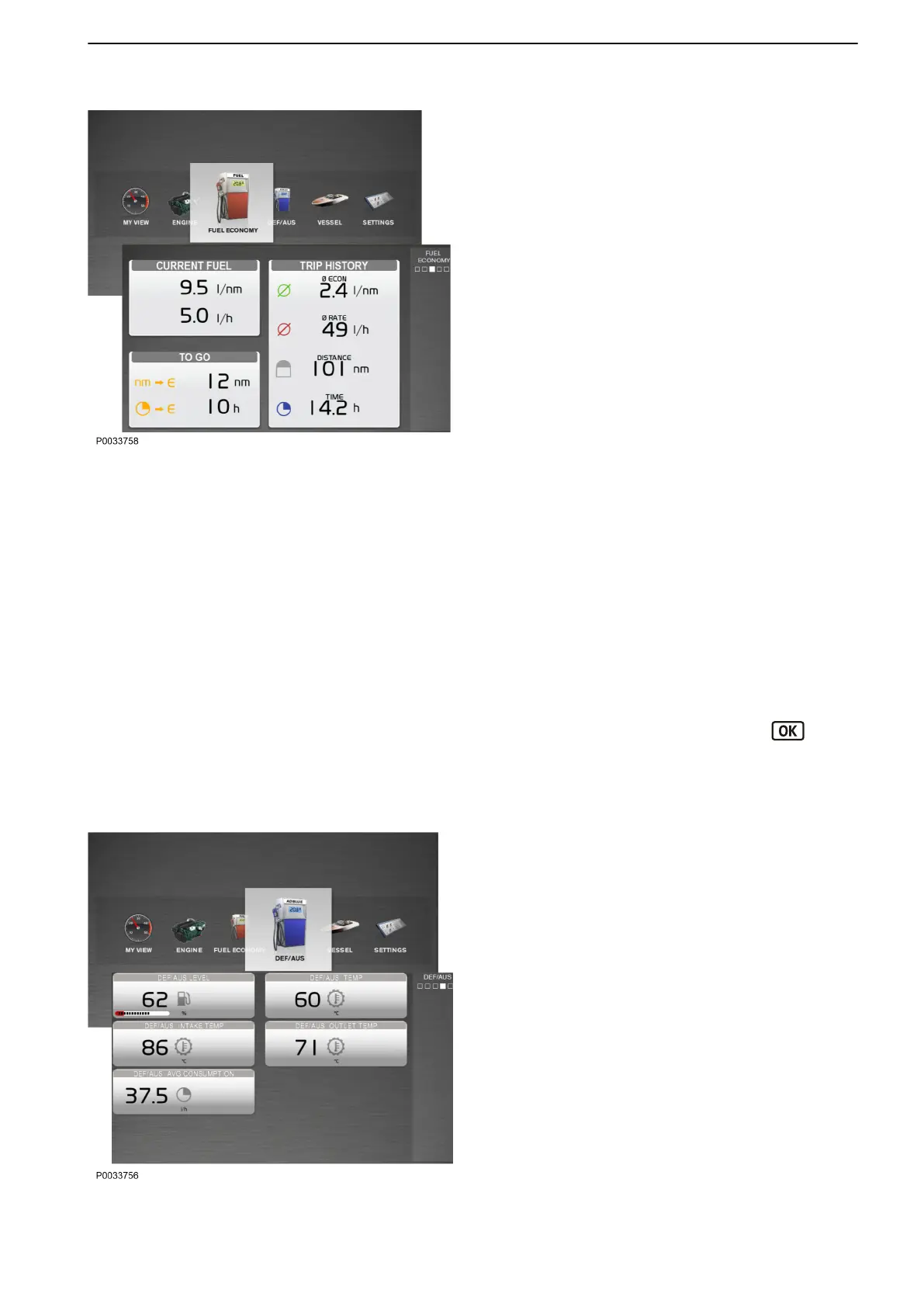
The view Fuel Economy shows the boat’s trip
computer. The information displayed depends on the
functions installed. With full setup of functions, the
following parameters are displayed:
Current Fuel
Instant Fuel Rate is based on current fuel
consumption.
Instant Fuel Economy shows the current fuel
consumption per hour.
To Go
Distance Remaining is based on the current fuel
consumption and shows trip distance with remaining
fuel.
Time To Empty is based on current fuel
consumption and shows the remaining operating
time.
Trip History
Average Fuel Rate shows the average fuel
consumption per hour since last trip computer reset.
Average Fuel Economy is based on the average
fuel consumption since last trip computer reset.
Trip Distance shows the distance travelled since
last trip computer reset.
Trip Time shows the time traveled time since last
trip computer reset.
To reset all trip computer data, press the button
and select Trip Reset.
The information setup in this view cannot be changed.
DEF/AUS
If the boat is equipped with an exhaust aftertreatment
system the DEF/AUS view shows information
monitored by the system. The following parameters
are displayed:
- DEF/AUS Level shows the remaining urea solution
level.
- DEF/AUS Temperature shows the in-tank
temperature of the urea solution.
- DEF/AUS Intake Temperature shows the intake
temperature of the urea solution.
- DEF/AUS Outlet Temperature shows the outlet
temperature of the urea solution.
- DEF/AUS Avg Consumption is based on the
average urea solution consumption since last trip
computer reset.
Instruments and Controls
47712786 11-2022 © AB VOLVO PENTA 41



 To Next Page