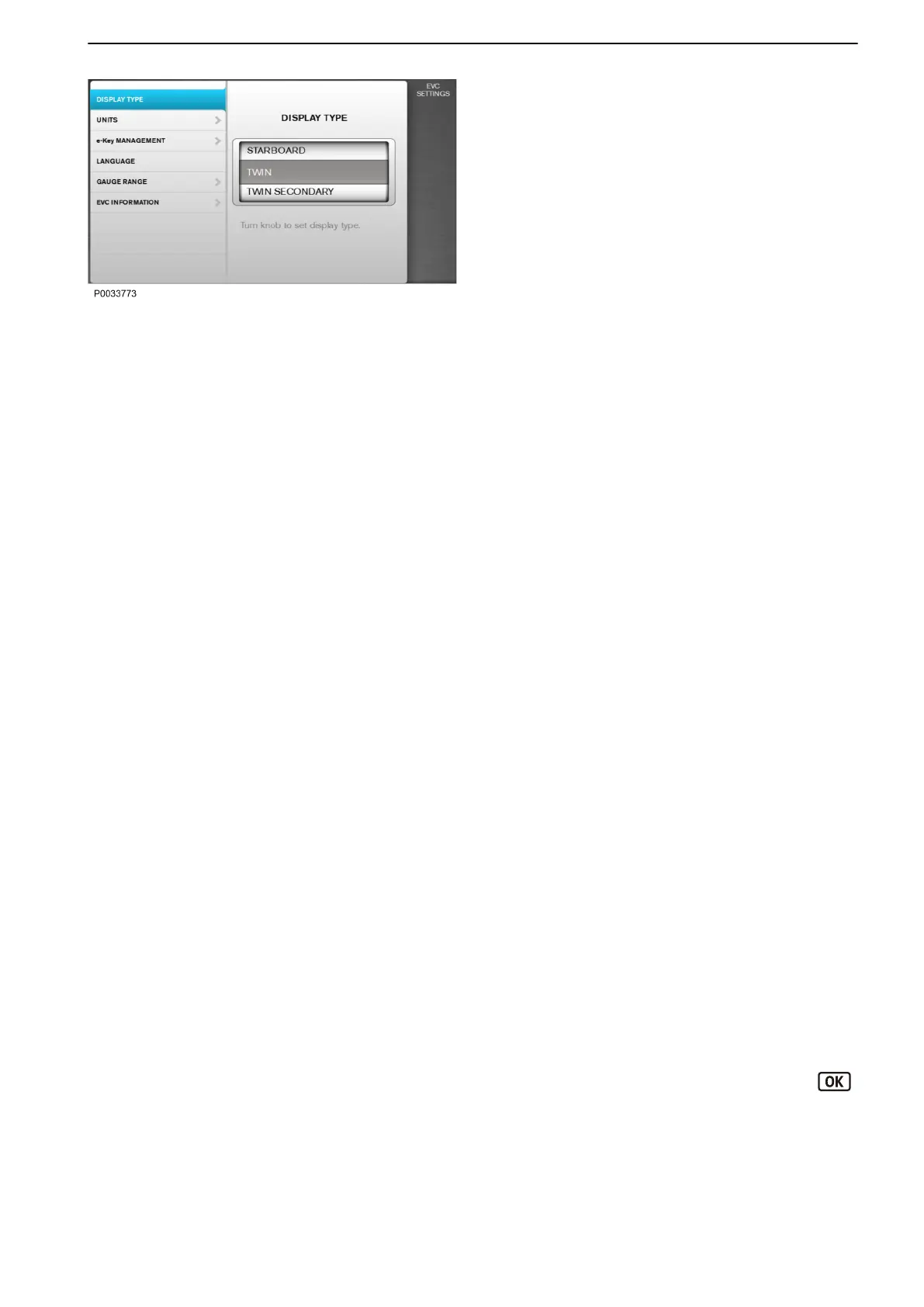
EVC Settings
Shows information about the boat installation. It is
possible to enable or disable functions and audible
alarms, as well as change settings for language, units,
alarms and alarm limits.
Key Management
To add and remove keys to or from the system, see
information in the chapter entitled Key
Management.
Neutral beep
Enable or disable the signal indicating when the
control is in neutral position.
Info Beep Level
Enable or disable the signal confirming function
activation or deactivation.
Trip Computer Reset
Reset all trip computer data.
Display Type
Define for which engines information is to be
displayed.
PTO mode
System Derate Override (SDO)
Info Display Contrast
Set the display contrast for all displays.
Dark station mode
Enable or disable the function to turn off all the
backlight.
Units
Set the unit settings for the system (metric, US or
Imperial).
Language
Set the system language.
Gauge Range
Set the gauge maximum range.
Boat Speed: 10–100 knots in 10 knot stages.
Engine Speed: 2500/3000/4000/5000/6000 rpm.
Propeller Speed : 1000/2000/3000 rpm.
EVC Information
Displays the following information about the EVC
system:
Vessel ID, ID for whole boat installation.
Features
Displays all EVC functions. The installed
functions are marked with blue color.
Components
To see all installed components, press the
button.
Software
Displays the software ID number.
Instruments and Controls
47712786 11-2022 © AB VOLVO PENTA 43



 To Next Page