Gearbox
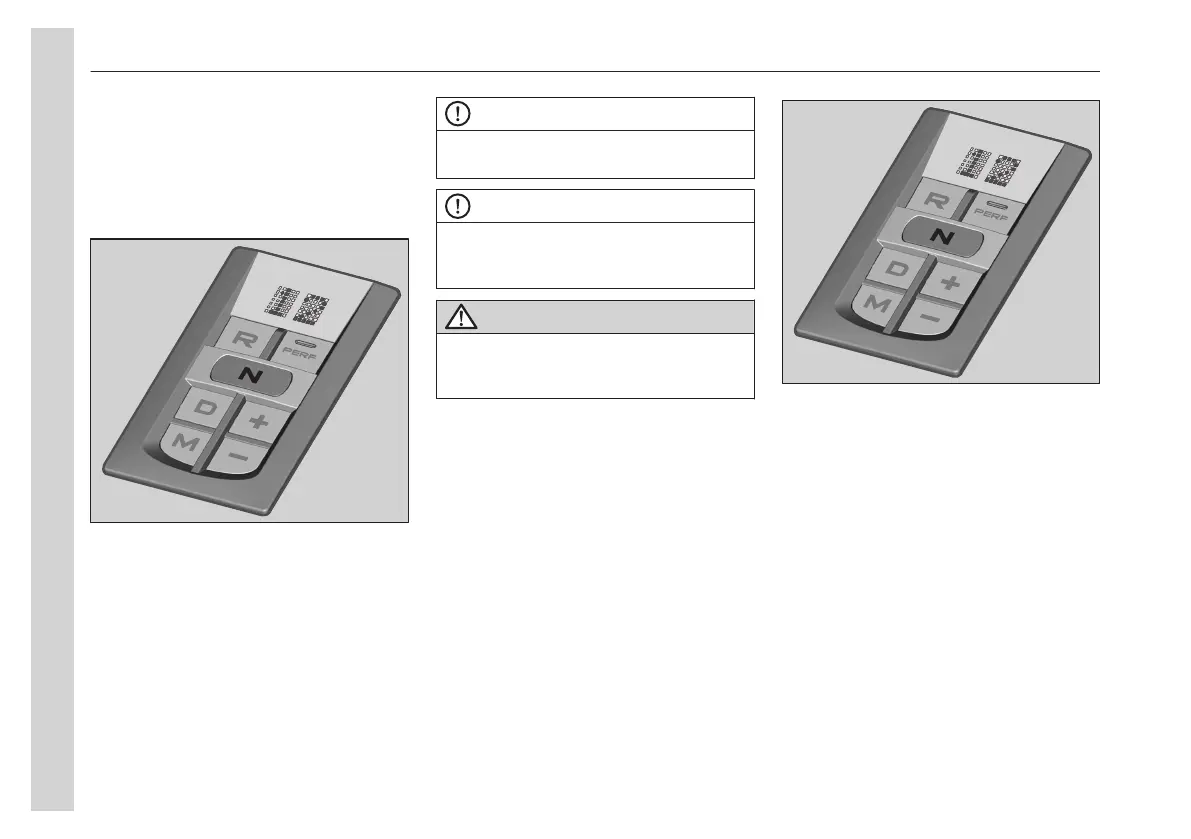
Manual gear changing
You can drive the bus exclusively with
manual gear changing or take over from
the automatic gear changing system
when you wish.
The +/ - buttons are used to select the
gear.
For a new gear, one of the buttons must
be pressed once for each gear step, to
the desired gear.
To shift through several gears at once,
press several times on the +/- buttons in
sequence.
NOTE
Do not release the accelerator pedal
during gear changing.
NOTE
If the bus is stopped with an unpermitted
starting gear engaged in the M mode, the
starting gear is automatically selected.
CAUTION
Starting in too high gear strains the clutch
a lot, which increases the risk for clutch
breakdown.
Reverse gears
The gearbox has four reverse gears, R1
to R4. The bus must be stationary when
position R is selected. The system
selects R1 automatically.
Use + or - button to change gear
manually.
Driver information display
Select the gauges menu and option gear
engaged to get information about the
gearbox.
The gearbox field shows the following
data:
09
Function descriptions
144


 To Next Page